
Loop
Node Loop สามารถทำงานแบบวนซ้ำ (iterative tasks) โดยจะหยุดเมื่อเงื่อนไขของ loop เป็นจริง
Input
Node Loop มีโหมดอินพุต 2 แบบ ซึ่งแต่ละแบบจะกำหนดรูปแบบของการวนซ้ำ
แบบ Array-Based
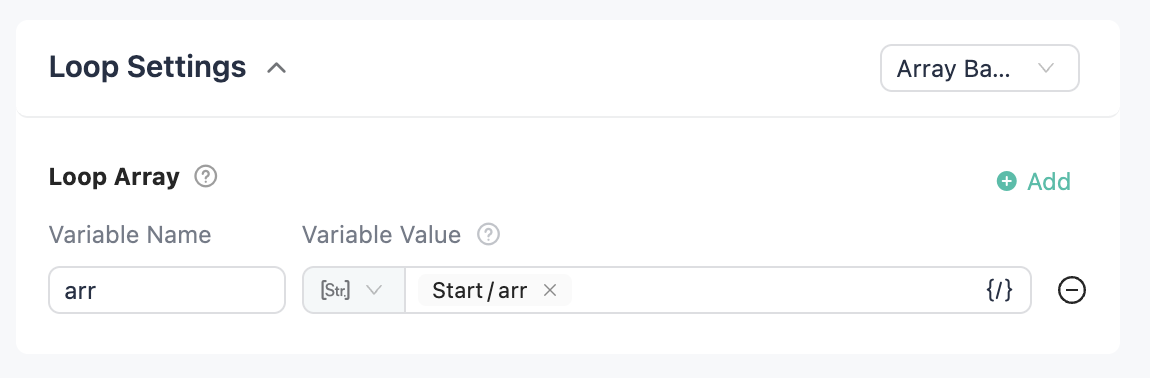
วนซ้ำตามความยาวของ array เหมือนกับ for i in list ที่จะรันในแต่ละ i ถ้ามีหลาย array สำหรับวนซ้ำ จำนวนรอบจะอิงกับ array ที่สั้นที่สุด เมื่อเลือกตัวเลือกนี้ ต้องระบุ "Loop Array" เสมอ
แบบ Limited Loop
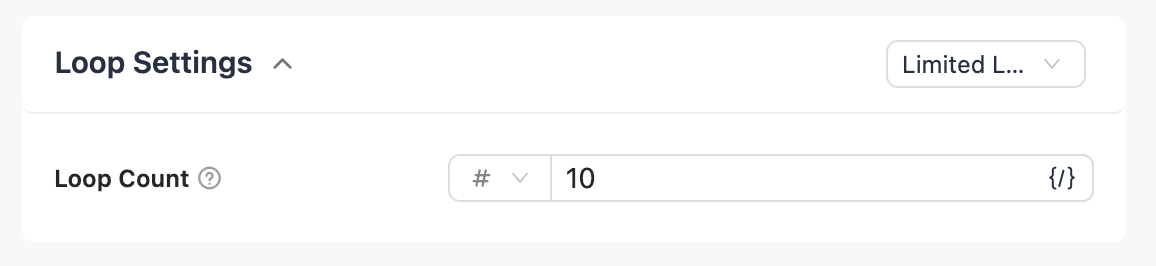
วนซ้ำตาม "จำนวนรอบ" โดยไม่ต้องเลือก array เทียบเท่ากับ for i in range(n) ที่ n คือจำนวนรอบที่ต้องการ
Intermediate Var
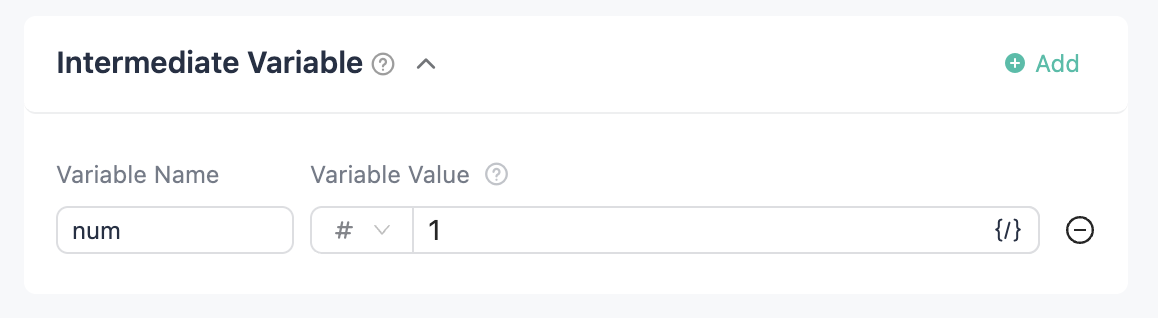
ตัวแปรที่ใช้สำหรับอัปเดตในแต่ละรอบของ loop สามารถกำหนดได้หลายตัว
Output
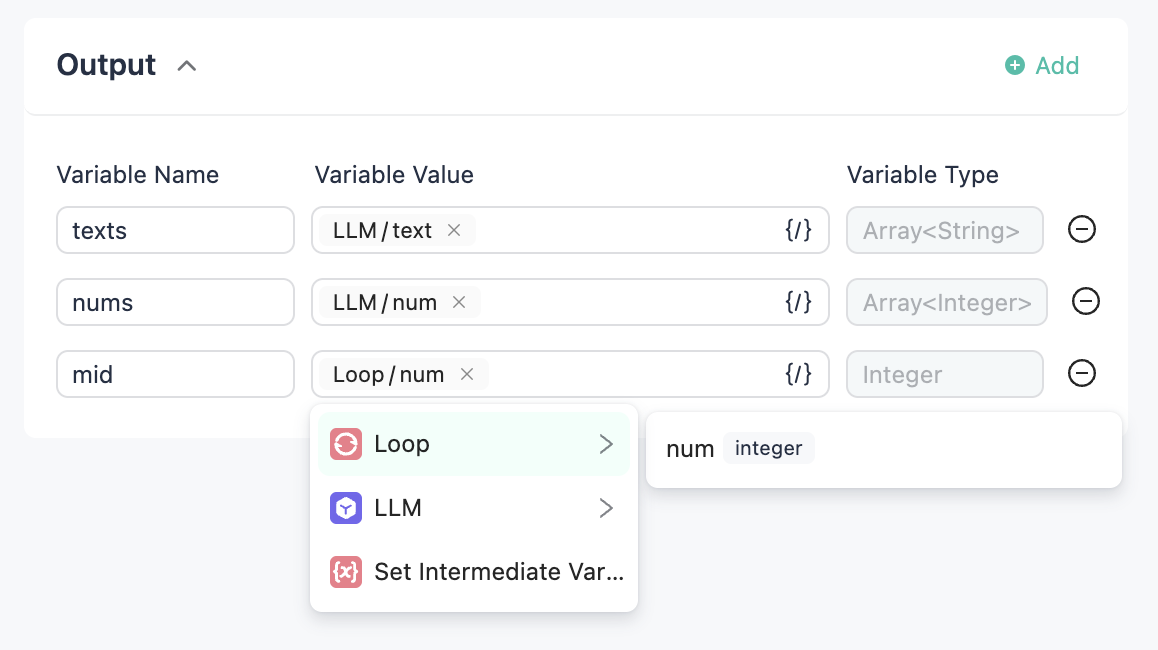
- สามารถเลือก output ของแต่ละ component ใน loop body ให้เป็น output ของ loop ได้ ทั้งหมดจะอยู่ในรูปแบบ array
- สามารถเลือก intermediate variable จากใน loop body ให้เป็น output ของ loop ได้
Loop Body
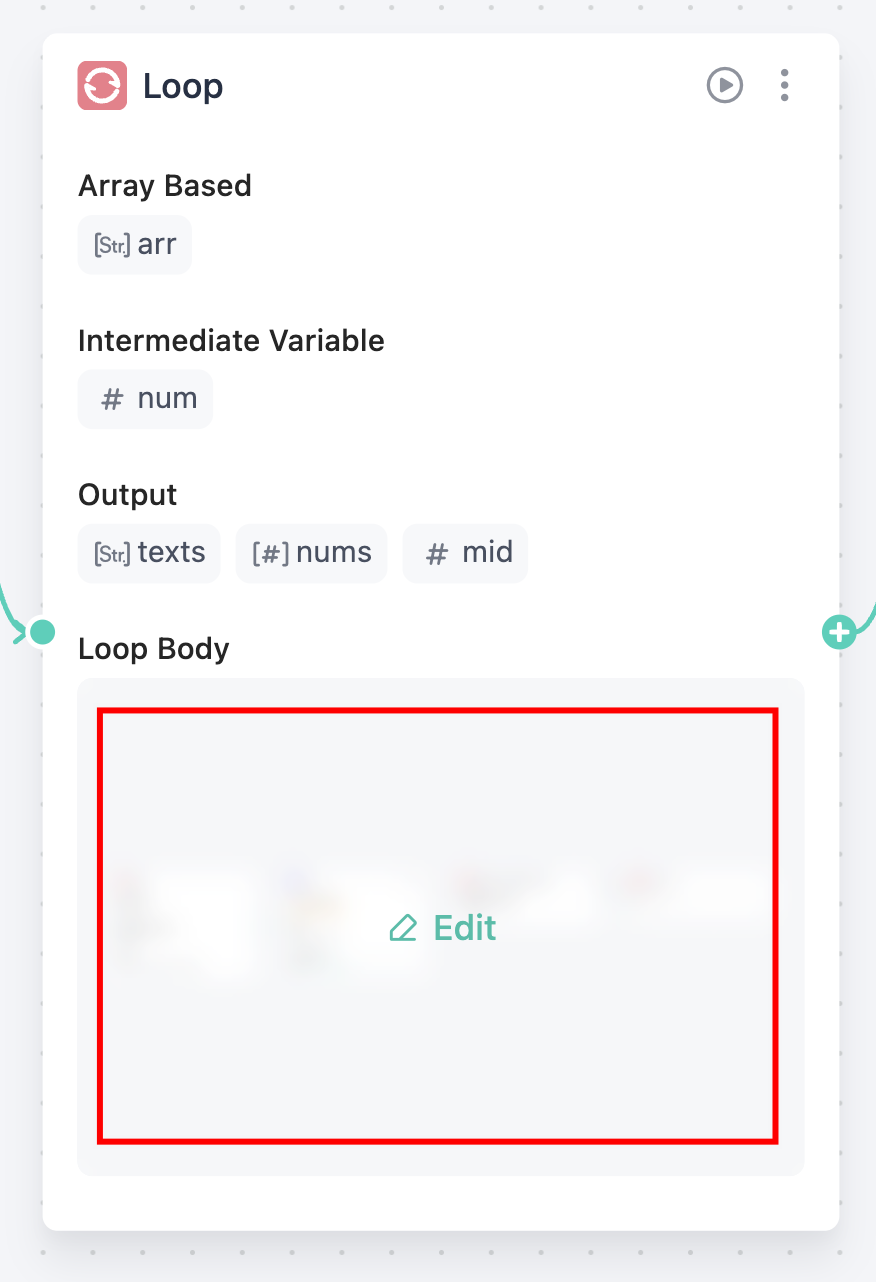
ใน node card ให้คลิกที่พื้นที่ loop body เพื่อเปิด canvas ของ loop body
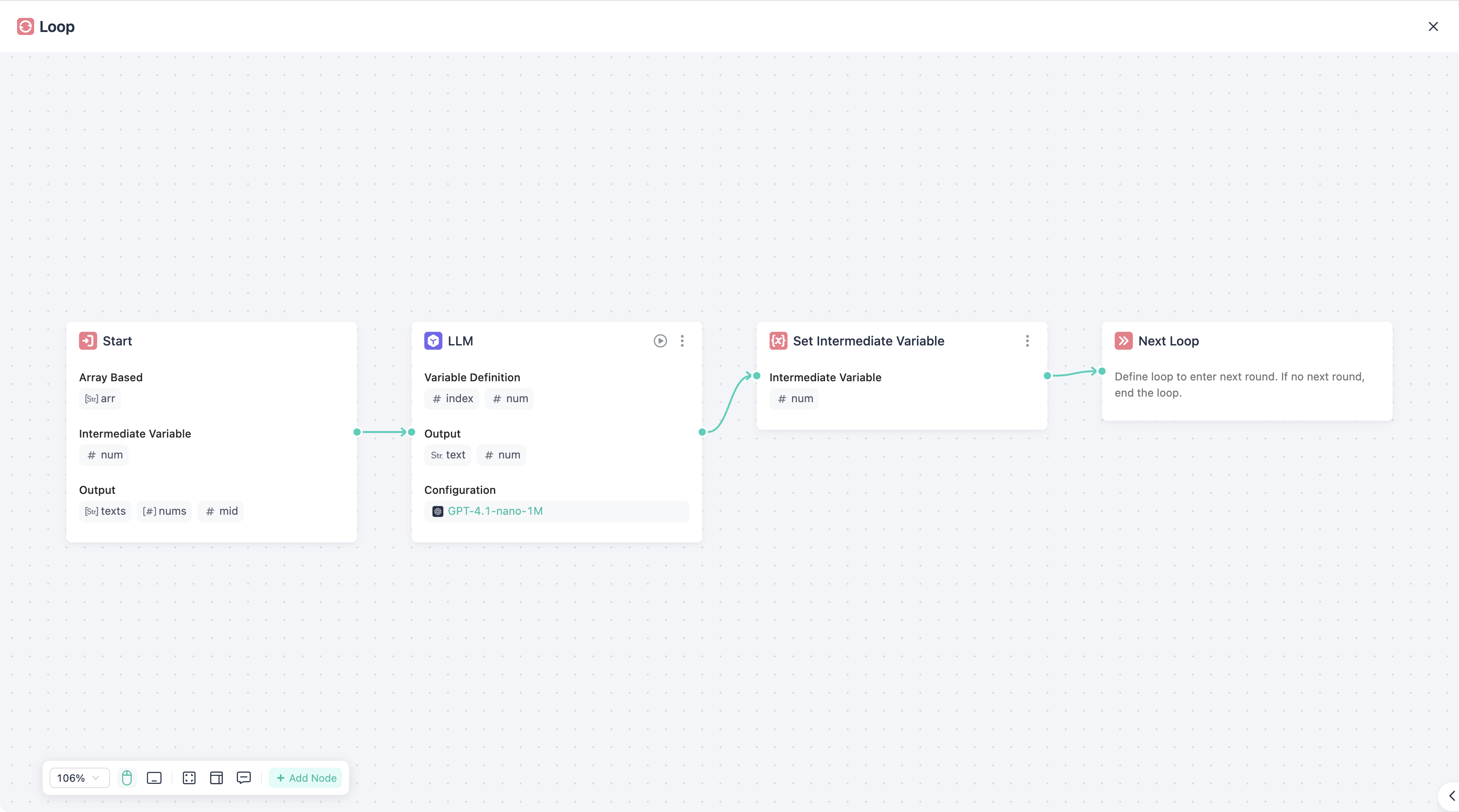
การทำงานใน canvas นี้เหมือนกับ workflow หลักทุกประการ
จะมี component พิเศษที่ใช้เฉพาะใน loop body ดังนี้
Set Intermediate Var
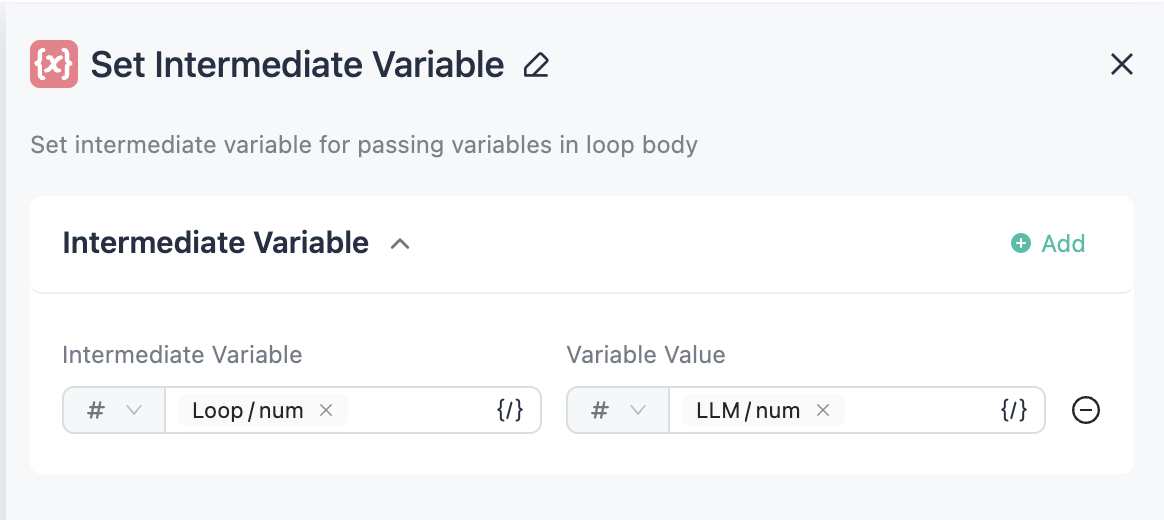
component นี้ใช้สำหรับอัปเดตค่าของ intermediate variable
Continue
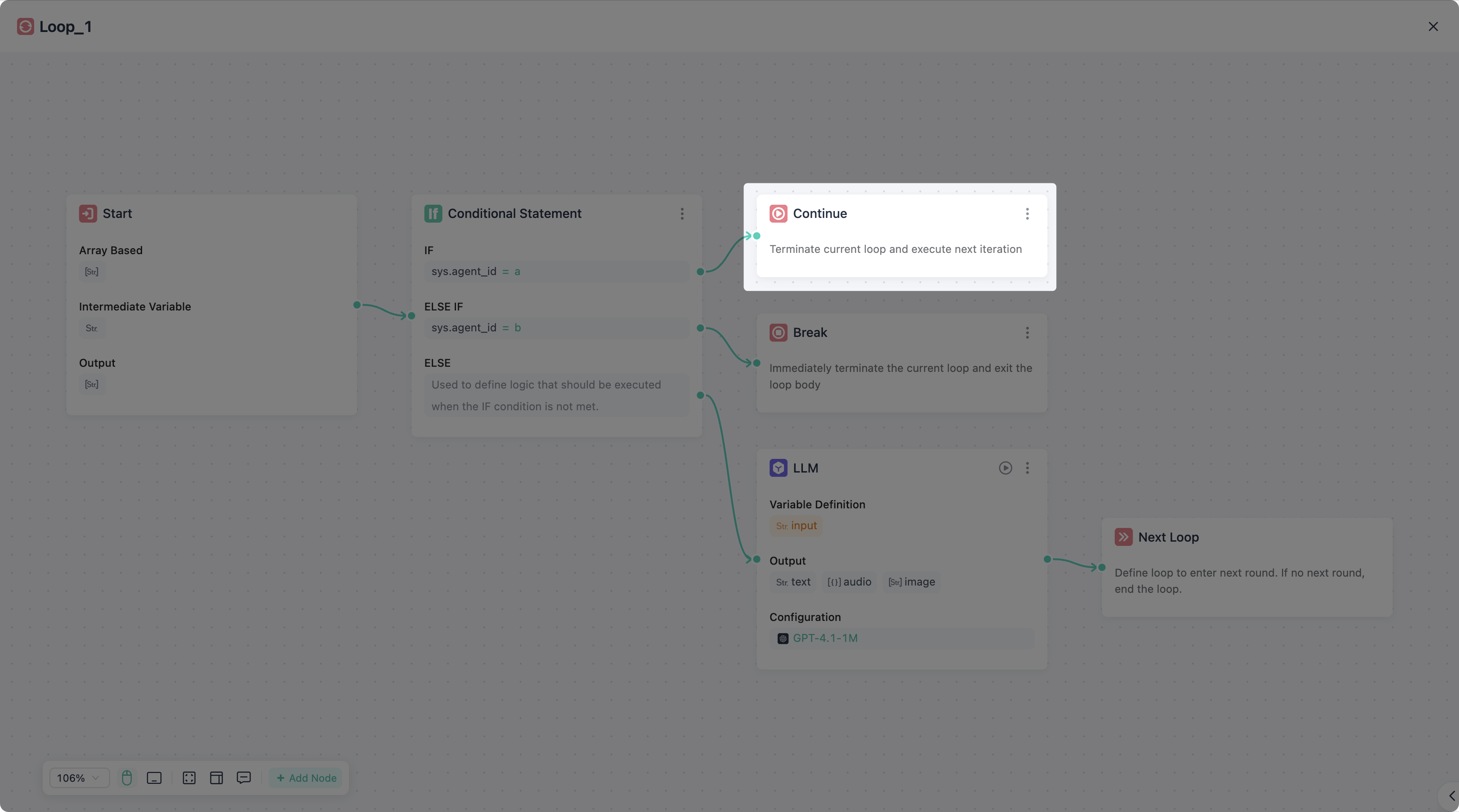
component นี้ใช้สำหรับเริ่มรอบถัดไปของ loop ทันที เทียบเท่ากับ continue
component นี้สามารถใช้งานหลังจาก node ใดก็ได้ที่ไม่ใช่ node เริ่มต้น/สิ้นสุด และรองรับการใช้หลายจุดพร้อมกัน สามารถเพิ่ม node นี้ในจุดที่ต้องการให้วนรอบใหม่ทันที
Break
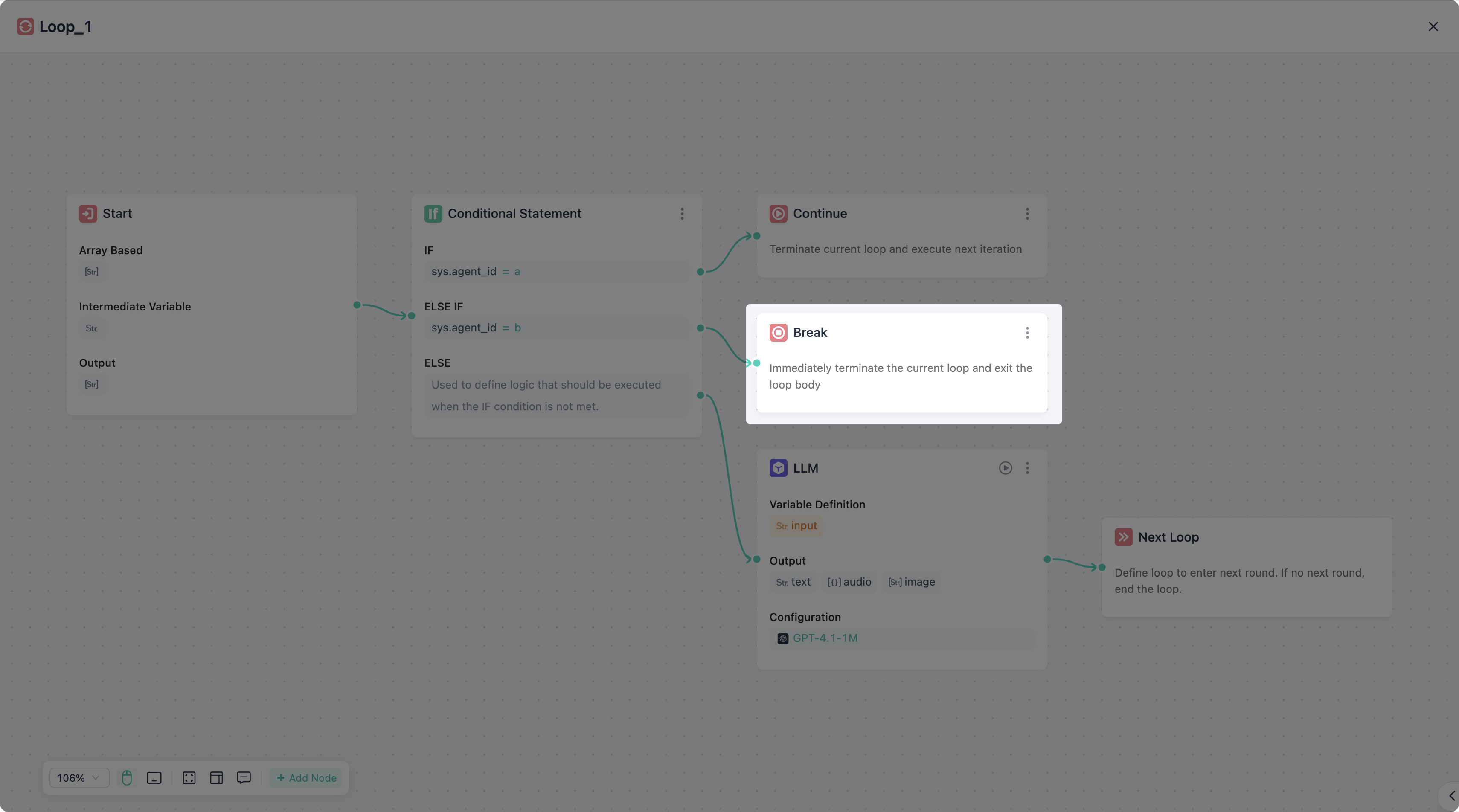
component นี้ใช้สำหรับหยุด loop ทันทีและออกจาก loop เทียบเท่ากับ break
component นี้สามารถใช้งานหลังจาก node ใดก็ได้ที่ไม่ใช่ node เริ่มต้น/สิ้นสุด และรองรับการใช้หลายจุดพร้อมกัน สามารถเพิ่ม node นี้ในจุดที่ต้องการให้หยุด loop ทันที