
การประมวลผลแบบแบตช์
โหนดการประมวลผลแบบแบตช์สามารถทำงานแบบกลุ่มได้ คุณสามารถป้อนอาร์เรย์เข้าไปยังตัวประมวลผลแบบแบตช์ ซึ่งจะประมวลผลแต่ละรายการในอาร์เรย์พร้อมกันตามตรรกะที่กำหนดไว้ ช่วยเพิ่มประสิทธิภาพของเวิร์กโฟลว์อย่างมาก
ทั้งอินพุตและเอาต์พุตของโหนดการประมวลผลแบบแบตช์จะเป็นชนิดอาร์เรย์เสมอ
อินพุต
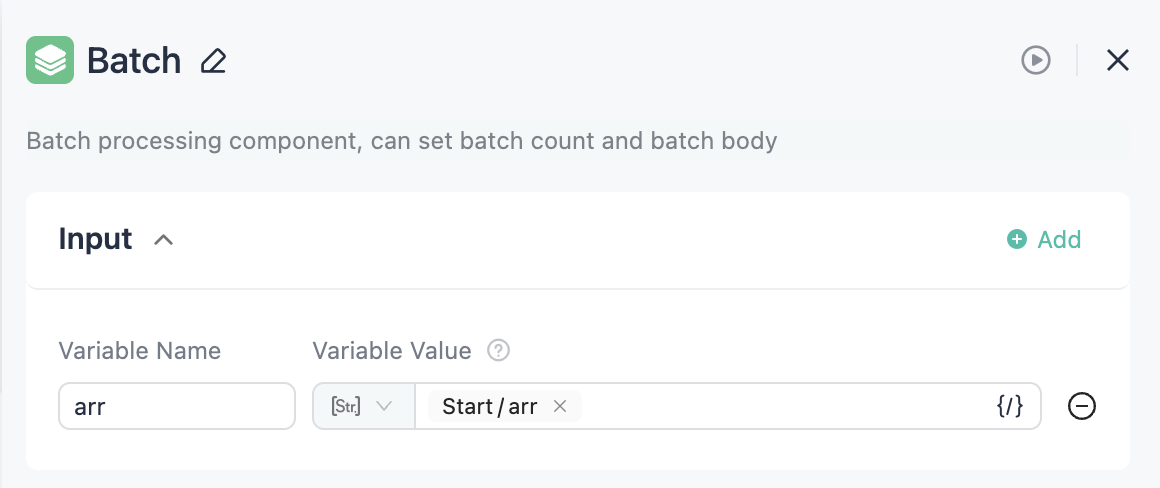
รองรับเฉพาะตัวแปรชนิดอาร์เรย์สำหรับการป้อนข้อมูล
คุณสามารถกำหนดอาร์เรย์หลายชุดเป็นอินพุตได้ แต่เมื่อประมวลผลแบบแบตช์ ระบบจะอ้างอิงจำนวนรอบจากความยาวของอาร์เรย์ที่สั้นที่สุด
ตัวอย่างเช่น หากป้อนอาร์เรย์ดังนี้
[1,2,3][1,2,3,4,5]
ระบบจะประมวลผลแบบแบตช์เพียง 3 ครั้งเท่านั้น
การตั้งค่า
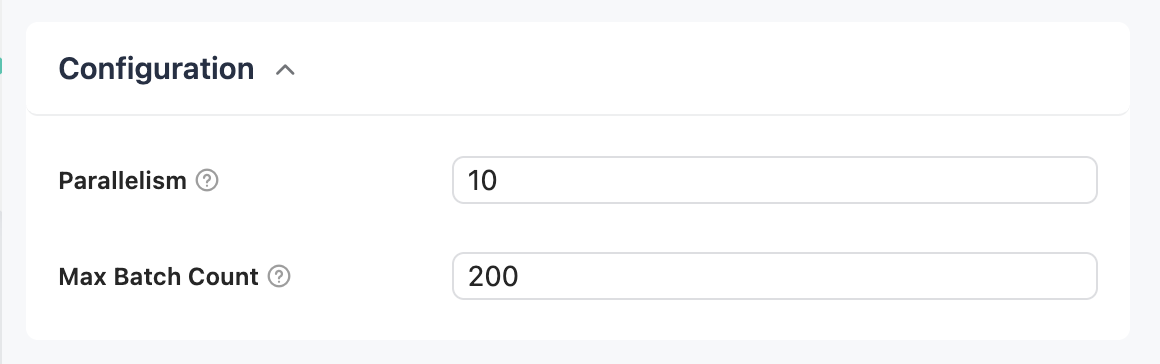
- ระดับขนาน: กำหนดจำนวนงานที่ประมวลผลพร้อมกัน
- จำนวนแบตช์: กำหนดจำนวนรอบสูงสุดสำหรับการประมวลผลแบบแบตช์
เอาต์พุต
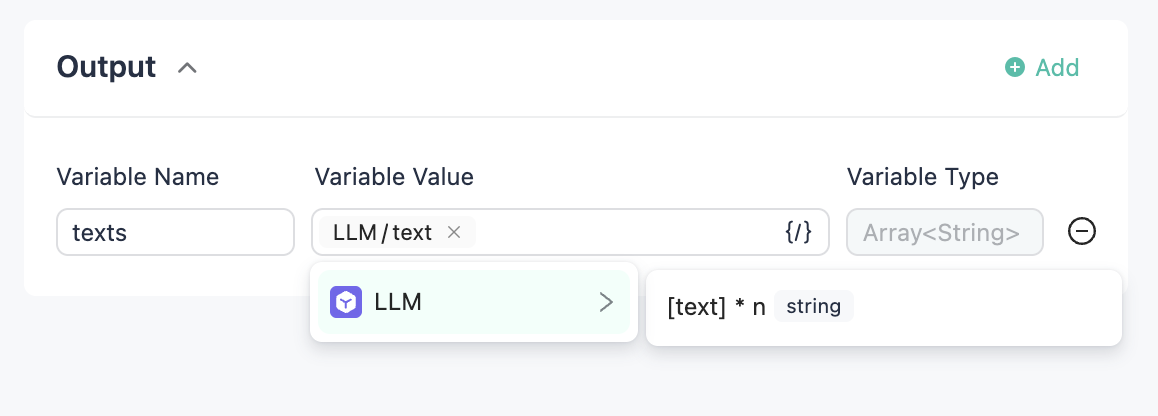
คุณสามารถเลือกเอาต์พุตของแต่ละคอมโพเนนต์ภายในตัวประมวลผลแบบแบตช์ให้เป็นเอาต์พุตของโหนดนี้ โดยเอาต์พุตที่เลือกทั้งหมดจะเป็นชนิดอาร์เรย์
เนื้อหาการประมวลผลแบบแบตช์
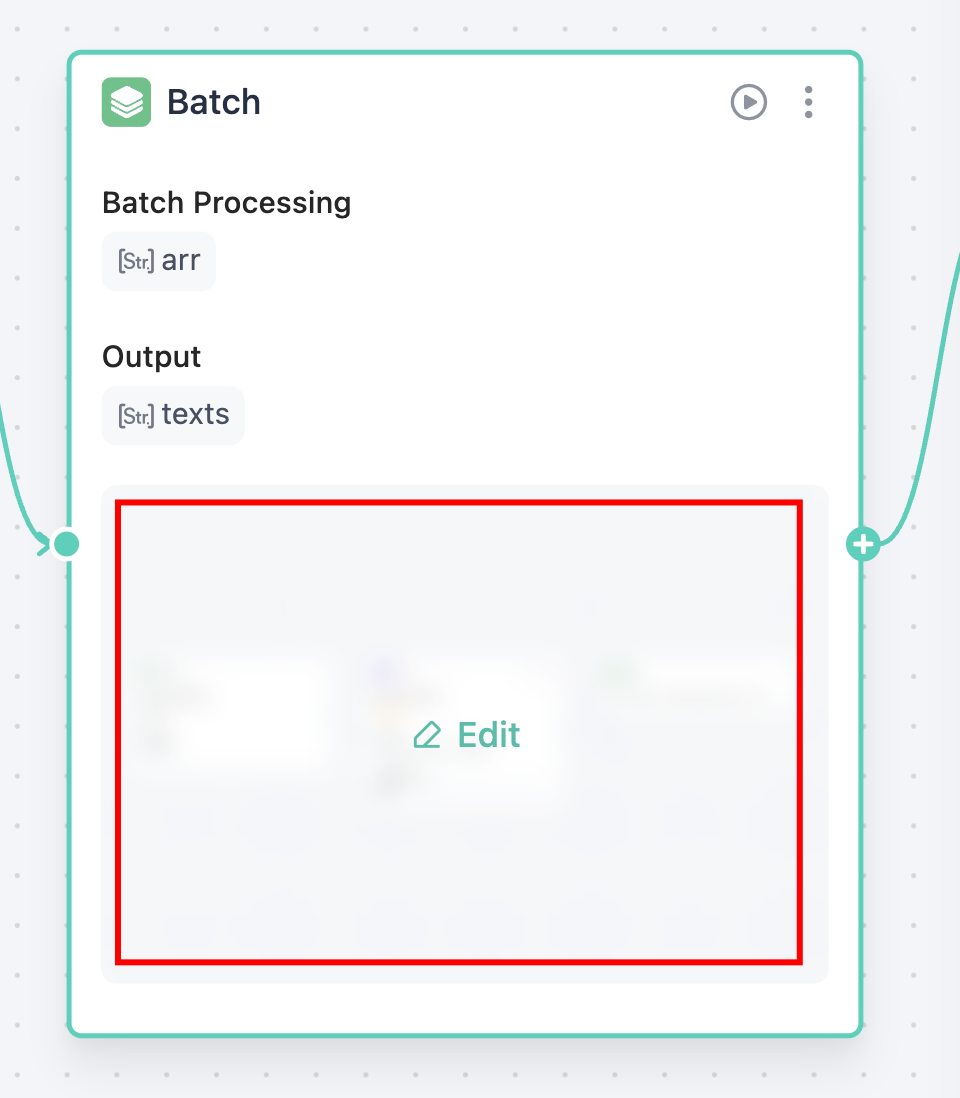
บนการ์ดโหนด ให้คลิกที่พื้นที่ตัวประมวลผลแบบแบตช์เพื่อเปิดแคนวาสของตัวประมวลผลแบบแบตช์
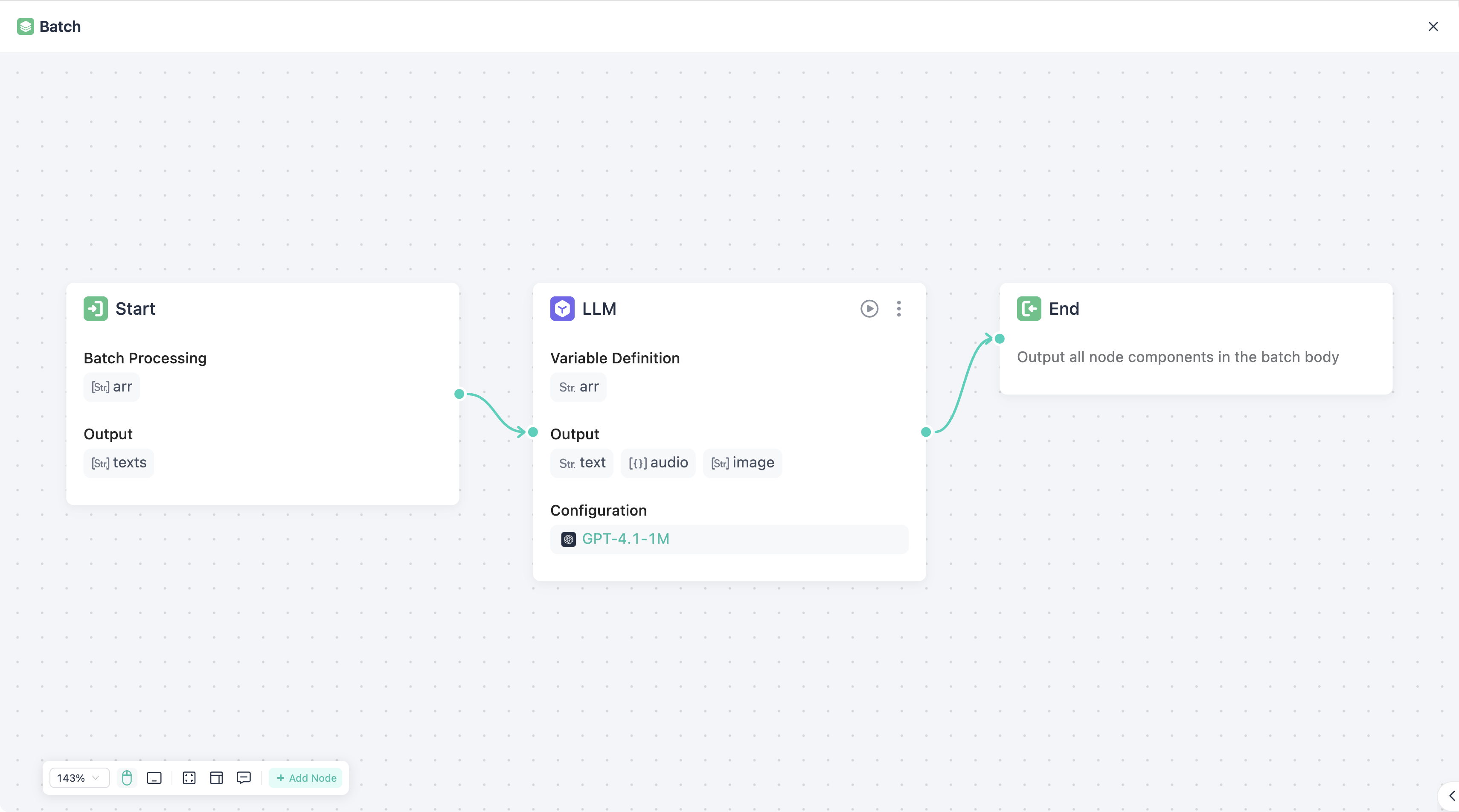
การทำงานภายในแคนวาสนี้เหมือนกับในเวิร์กโฟลว์หลักทุกประการ
ภายในตัวประมวลผลแบบแบตช์ ต้องเชื่อมต่อโหนด "Start" และ "End" ให้เป็นวงจรปิดด้วย
- Start: โหนด Start จะรับอาร์เรย์ที่กำหนดไว้ใน "อินพุต" เป็นพารามิเตอร์โดยอัตโนมัติ
- End: กำหนดจุดสิ้นสุดของการทำงานของตัวประมวลผลแบบแบตช์