
การตั้งค่าการแสดงผล
กำหนดวิธีที่ Agent ประมวลผลและส่งข้อความตอบกลับก่อนส่งไปยังแพลตฟอร์มภายนอก คุณสามารถตั้งค่าพฤติกรรมการแสดงผลที่นี่ เช่น การแบ่งข้อความออกเป็นส่วน ๆ เพื่อให้การส่งข้อความดูเป็นธรรมชาติมากขึ้น
หมายเหตุ: การตั้งค่าการแสดงผลนี้เป็นทางเลือก หากไม่ได้ตั้งค่า ระบบจะยังคงทำงานได้ตามปกติและส่งข้อความไปยังแพลตฟอร์มภายนอกด้วยพฤติกรรมเริ่มต้น
---
config:
  layout: dagre
---
flowchart LR
    agent["Agent"] --> output["การแสดงผล"]
    output --> app["แอป"]

    app@{ shape: rect}
    agent@{ shape: rect}
    output@{ shape: rect}
    style app fill:#fff,stroke:#e0e0e0,color:#c2c2c2
    style agent fill:#fff,stroke:#e0e0e0,color:#c2c2c2
    style output fill:#e3f6f2,stroke:#28b49f,stroke-width: 4px,color:#265859
การแสดงผลแบบแบ่งข้อความ
แพลตฟอร์มที่รองรับในขณะนี้: LiveChat
ระบบจะแบ่งข้อความตอบกลับของ Agent ตามประเภท และส่งให้ผู้ใช้บนแพลตฟอร์มที่เชื่อมต่อเป็นช่วง ๆ ประเภทข้อความที่สามารถแบ่งได้ ได้แก่ ข้อความ รูปภาพ เสียง วิดีโอ และไฟล์ โดยสามารถเปิดใช้งานการแบ่งข้อความหลายประเภทพร้อมกันได้
การแบ่งข้อความแบบข้อความ (Text Segmentation)
ระบบจะแบ่งข้อความตอบกลับโดยอัตโนมัติตามการขึ้นบรรทัดใหม่ในข้อความ และส่งให้ผู้ใช้เป็นช่วง ๆ
วิธีใช้งาน: หลังจากเปิดใช้งานแล้ว คุณสามารถเพิ่มคำแนะนำการขึ้นบรรทัดใหม่ใน Agent > การตั้งค่า > Identity Prompt ของ LLM เพื่อช่วยให้ Agent ตอบกลับได้อย่างเป็นธรรมชาติ เช่น เพิ่ม “แต่ละประโยคควรขึ้นบรรทัดใหม่” ใน Identity Prompt
ตัวอย่าง (ปิดการแบ่งข้อความ):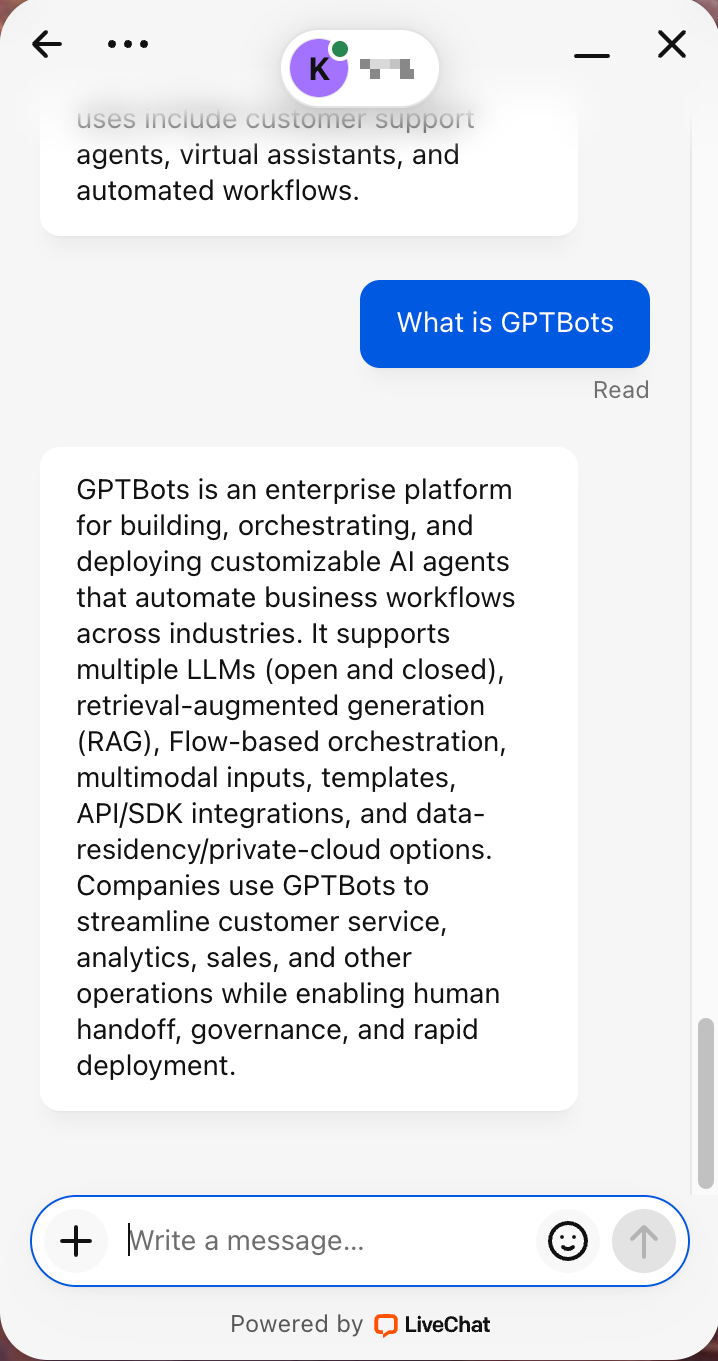
ตัวอย่าง (เปิดการแบ่งข้อความ):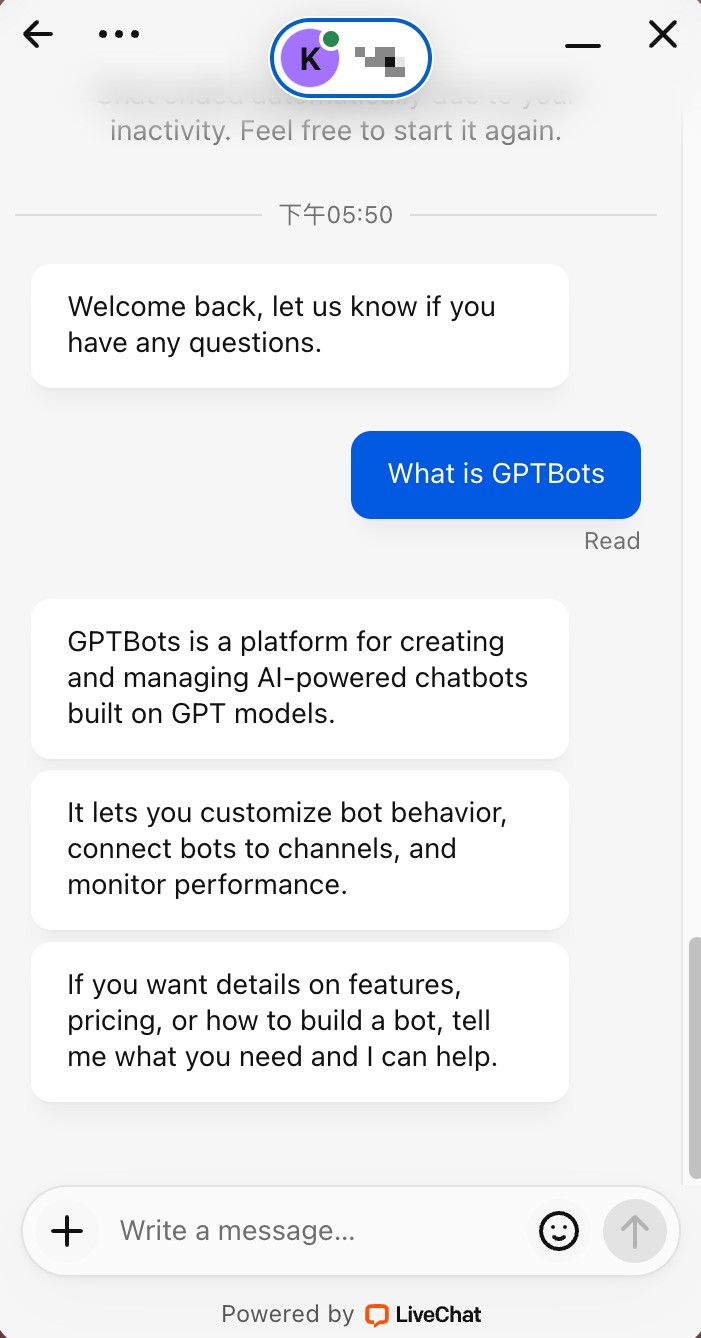
การหน่วงเวลาในการแสดงผลแบบแบ่งข้อความ
ข้อความที่ถูกแบ่งจะถูกส่งตามช่วงเวลา (interval) ที่เลือกไว้