
Document
Ajouter
Type
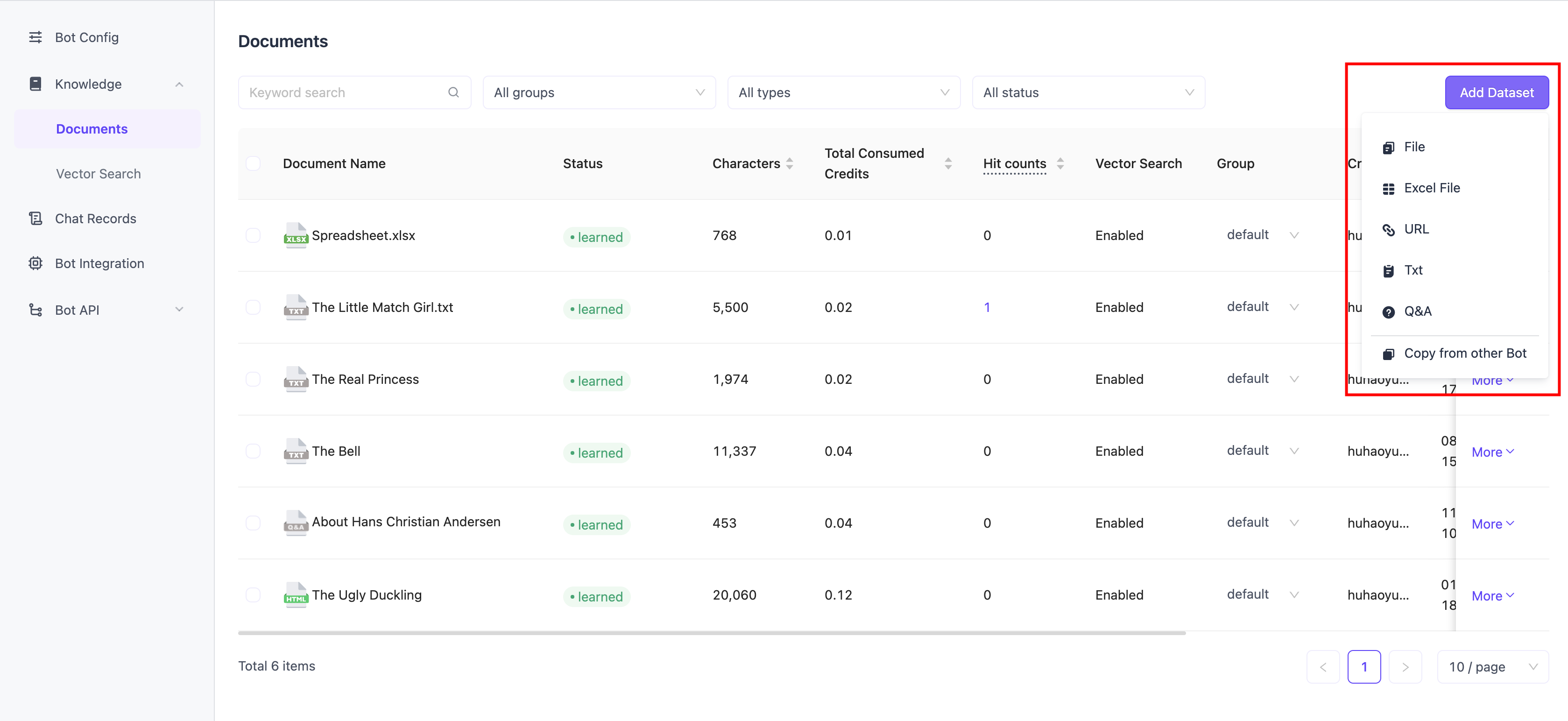
Vous pouvez ajouter différents types de documents pour en faire la connaissance de l'Agent.
- Fichiers : Prend en charge plusieurs formats tels que .doc/.docx/.pdf/.md/.txt.
- Tableurs : Prend en charge les formats tels que .xls/.xlsx/.csv.
- URL : Fournissez l'URL du site web, et le système collectera le contenu web comme connaissance de l'Agent.
- TXT : Saisissez directement du contenu en ligne comme connaissance.
- Q&R : Type de connaissance structuré en « Q&R » (paire question-réponse, c'est-à-dire une question et une réponse).
Découpage
Différents types de documents proposent différentes méthodes de découpage. Vous pouvez prévisualiser l'effet du découpage sur la page.
Si vous ne comprenez pas le découpage, il est recommandé d'utiliser les valeurs par défaut du système.
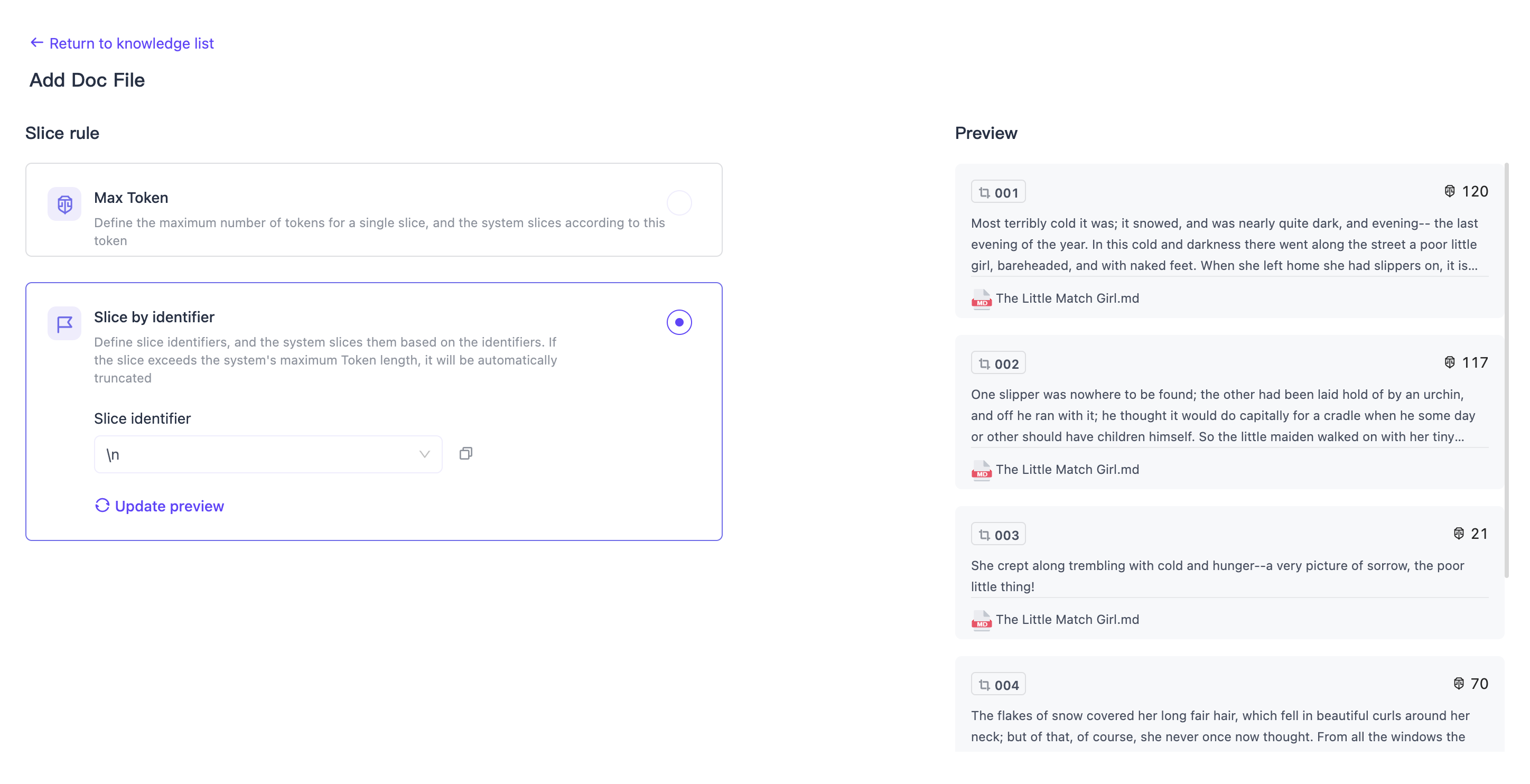
Pour les fichiers, les URL et les types TXT, vous pouvez choisir deux méthodes de découpage différentes :
- Par nombre de Tokens : Découpage basé sur le nombre de Tokens défini. Par exemple, si la valeur est « 1000 », une tranche est générée pour le document tous les 1000 Tokens.
- Par identifiant : Découpage basé sur l'identifiant sélectionné. Par exemple, si la valeur est « \n », c'est-à-dire un saut de ligne, une tranche est générée à chaque saut de ligne dans le document.
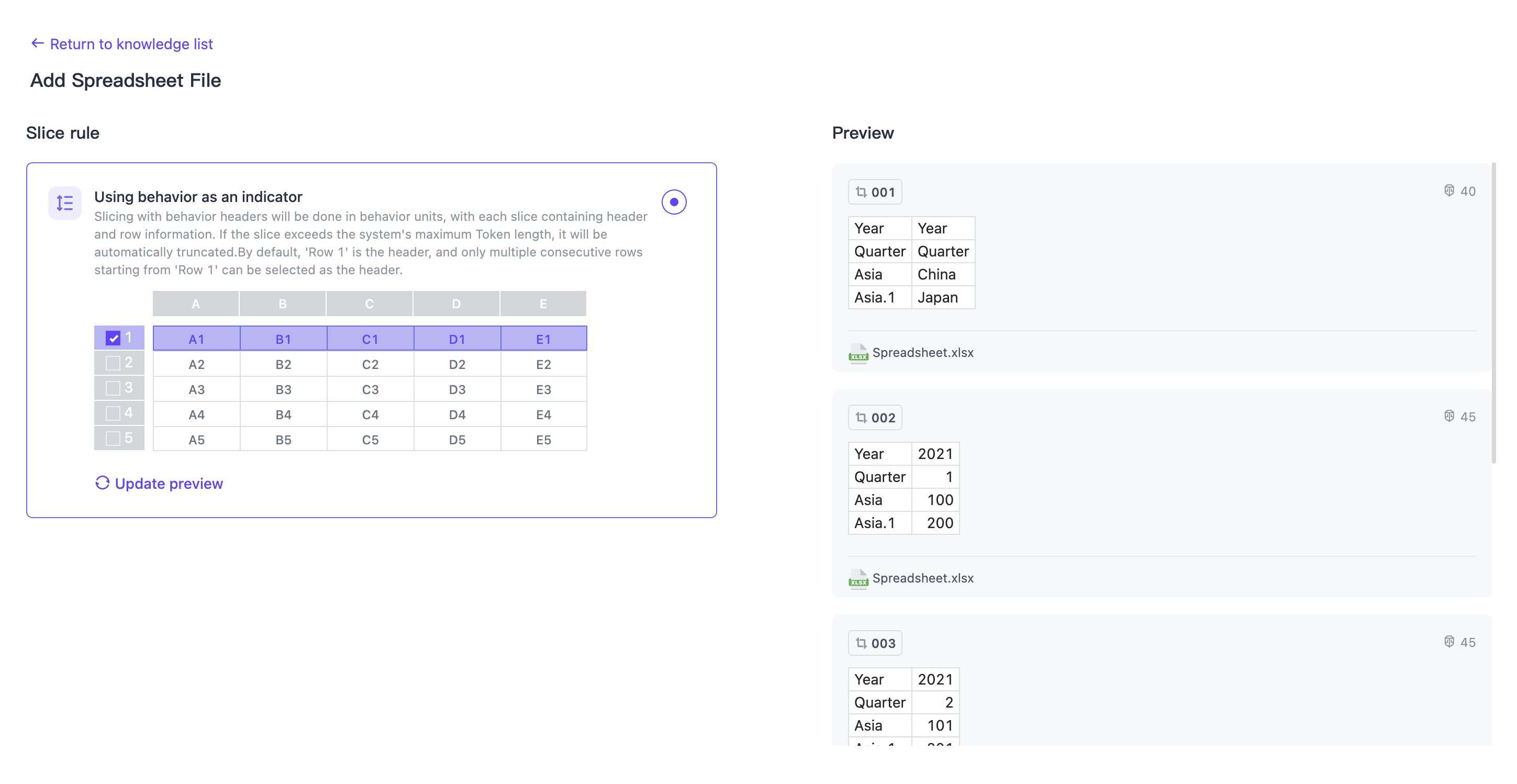
Pour le type tableur, vous pouvez choisir plusieurs lignes comme en-tête. Le système découpera les données du tableau selon la méthode « en-tête + ligne ».
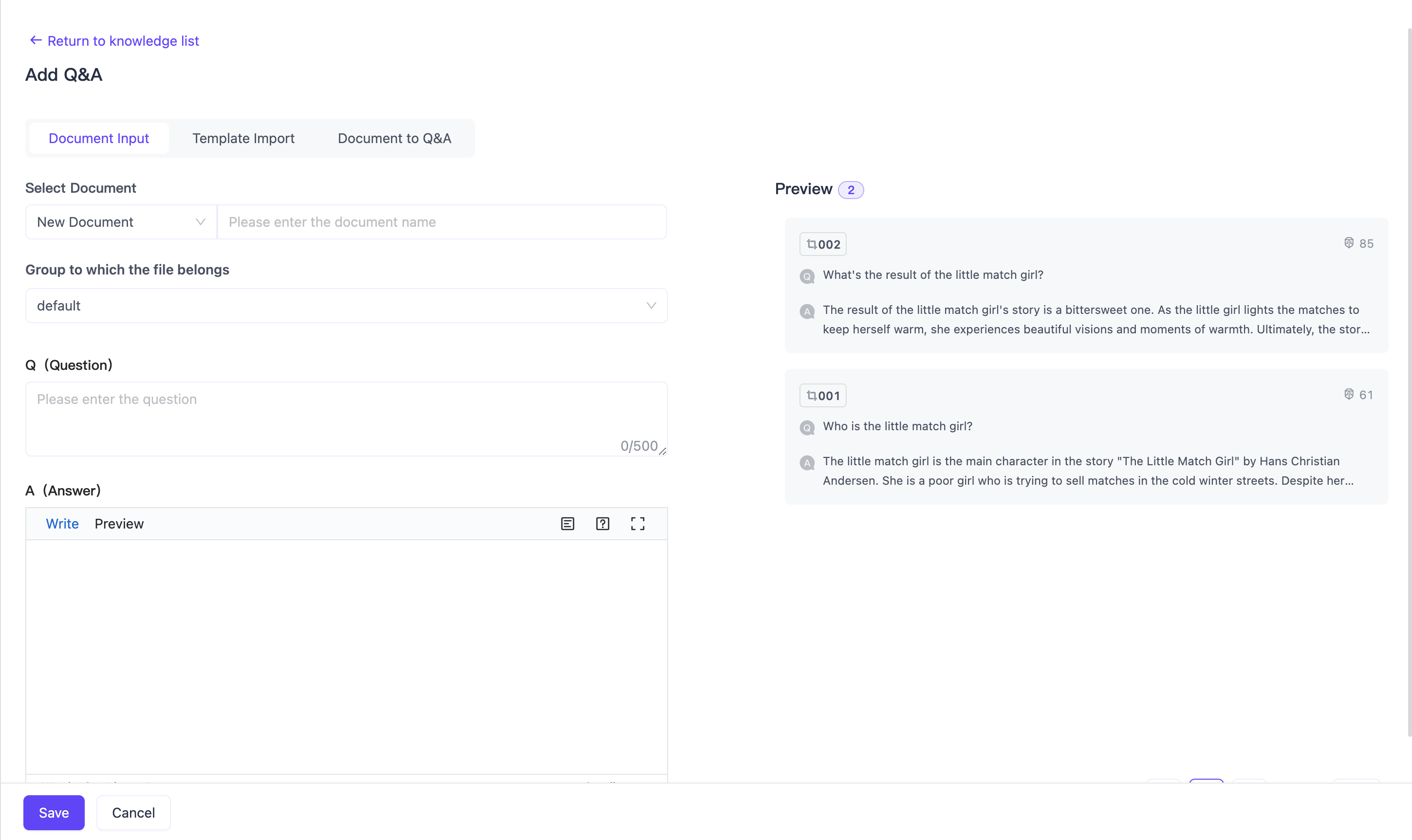
Pour le type Q&R, il n'est pas nécessaire de choisir une méthode de découpage, le système considérera automatiquement chaque Q&R comme une tranche.
Copier depuis un autre Agent
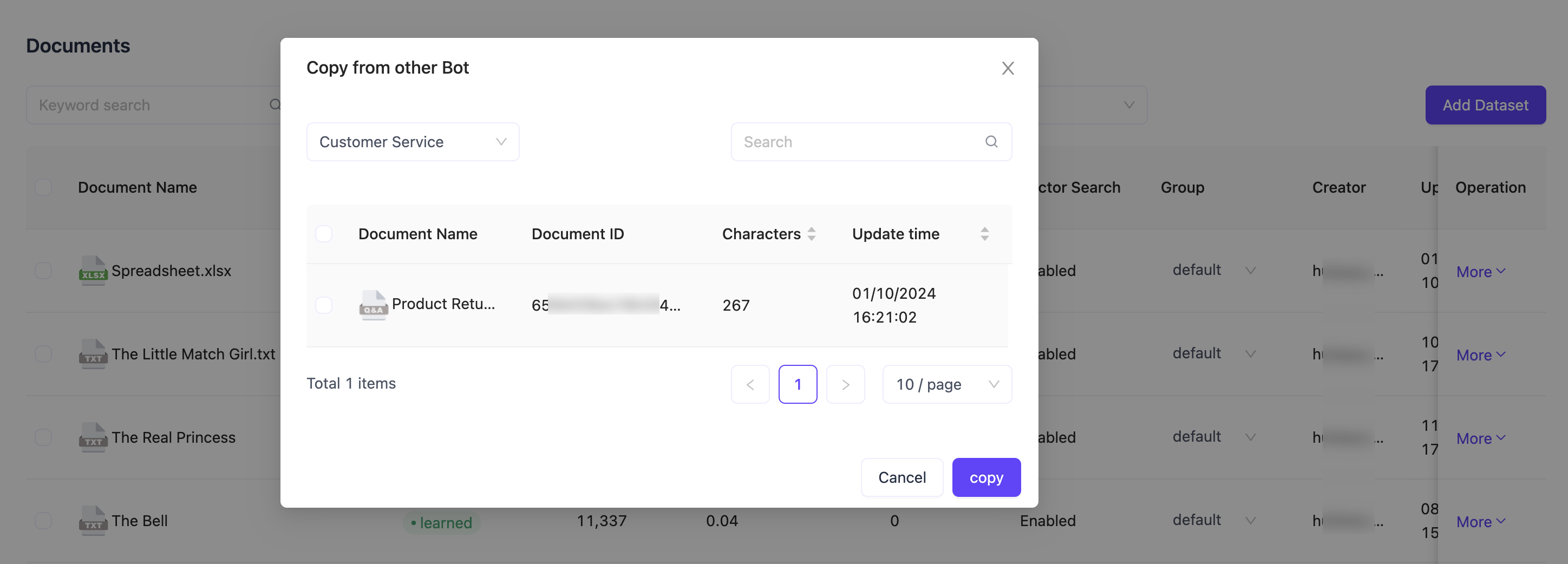
Vous pouvez copier le document d'autres Agents au sein de la même organisation vers l'Agent actuel, afin d'en faire le document de connaissance de cet Agent.
Modifier
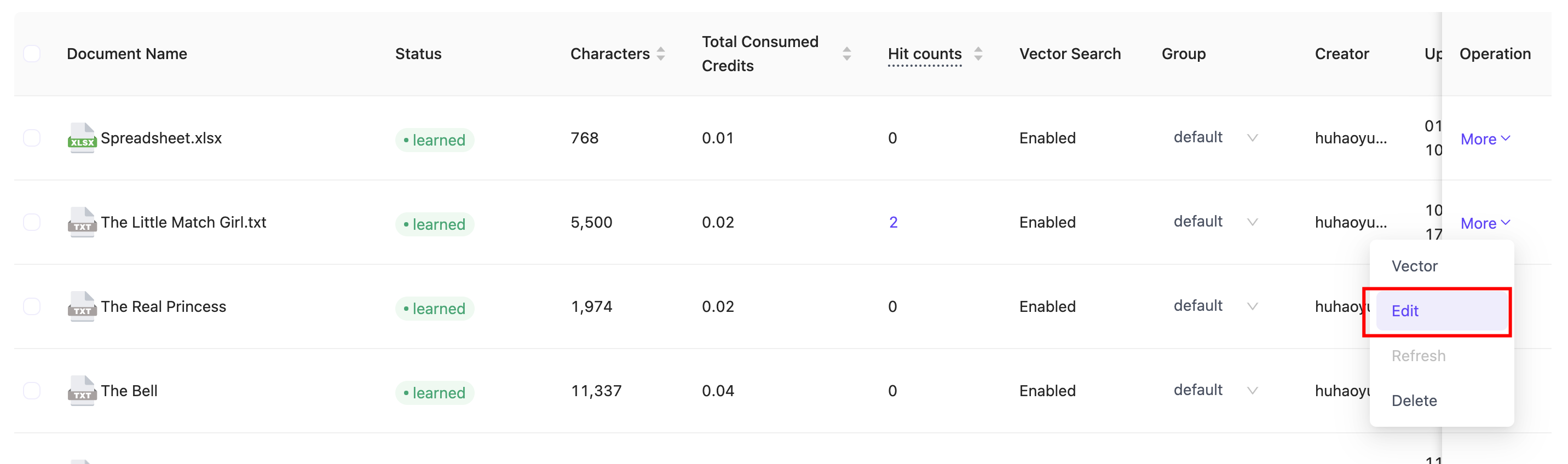
Les documents ajoutés peuvent être modifiés en ligne.
Les documents de type tableur ne sont pas encore pris en charge pour l'édition en ligne.
Mise à jour de l'URL
Mise à jour planifiée
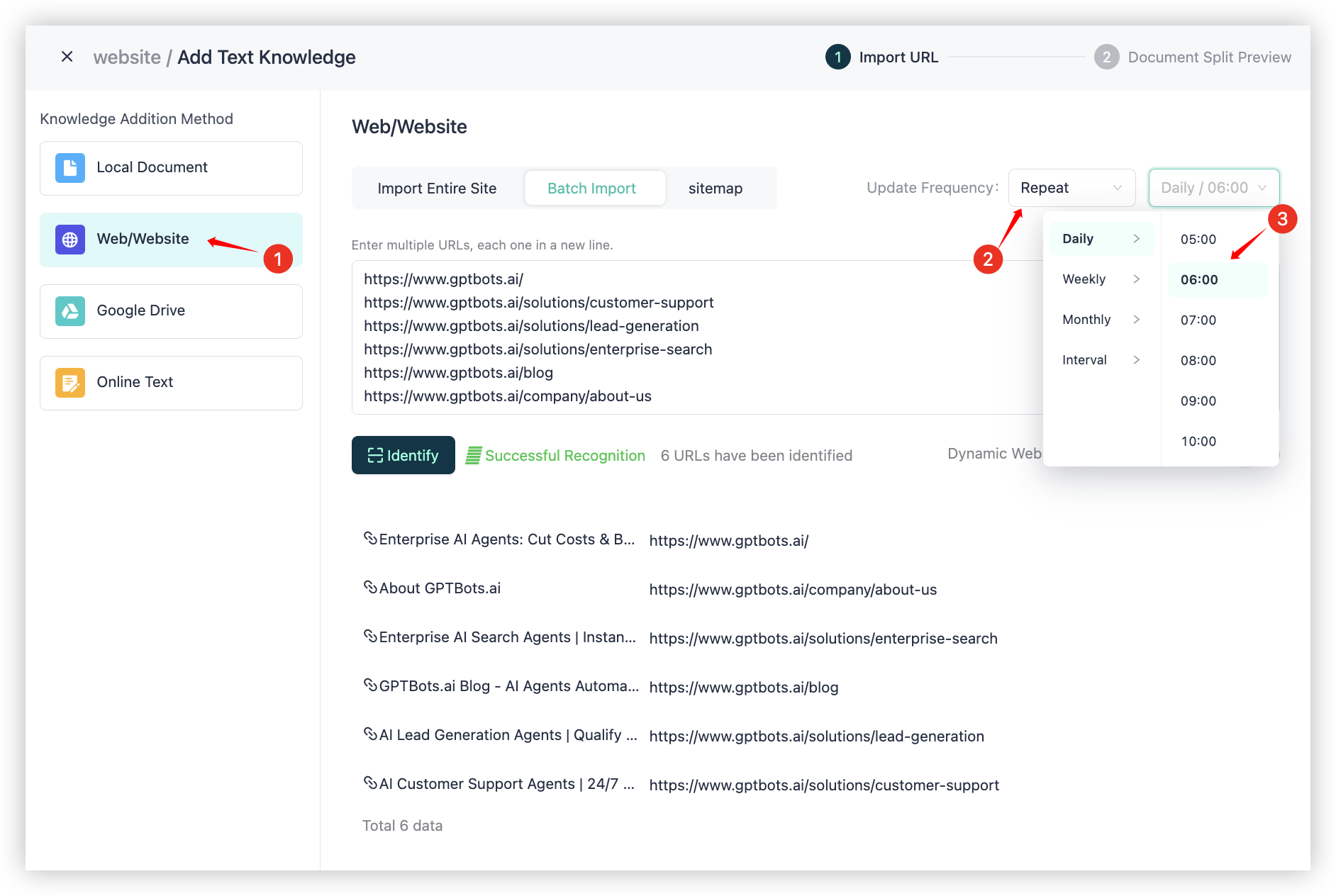
Étape 1 : Dans Méthode d'ajout de connaissance, sélectionnez Web/Site web
Étape 2 : Dans Fréquence de mise à jour, choisissez Exécution répétée
Étape 3 : Sélectionnez la fréquence de mise à jour souhaitée (modifiable ultérieurement)
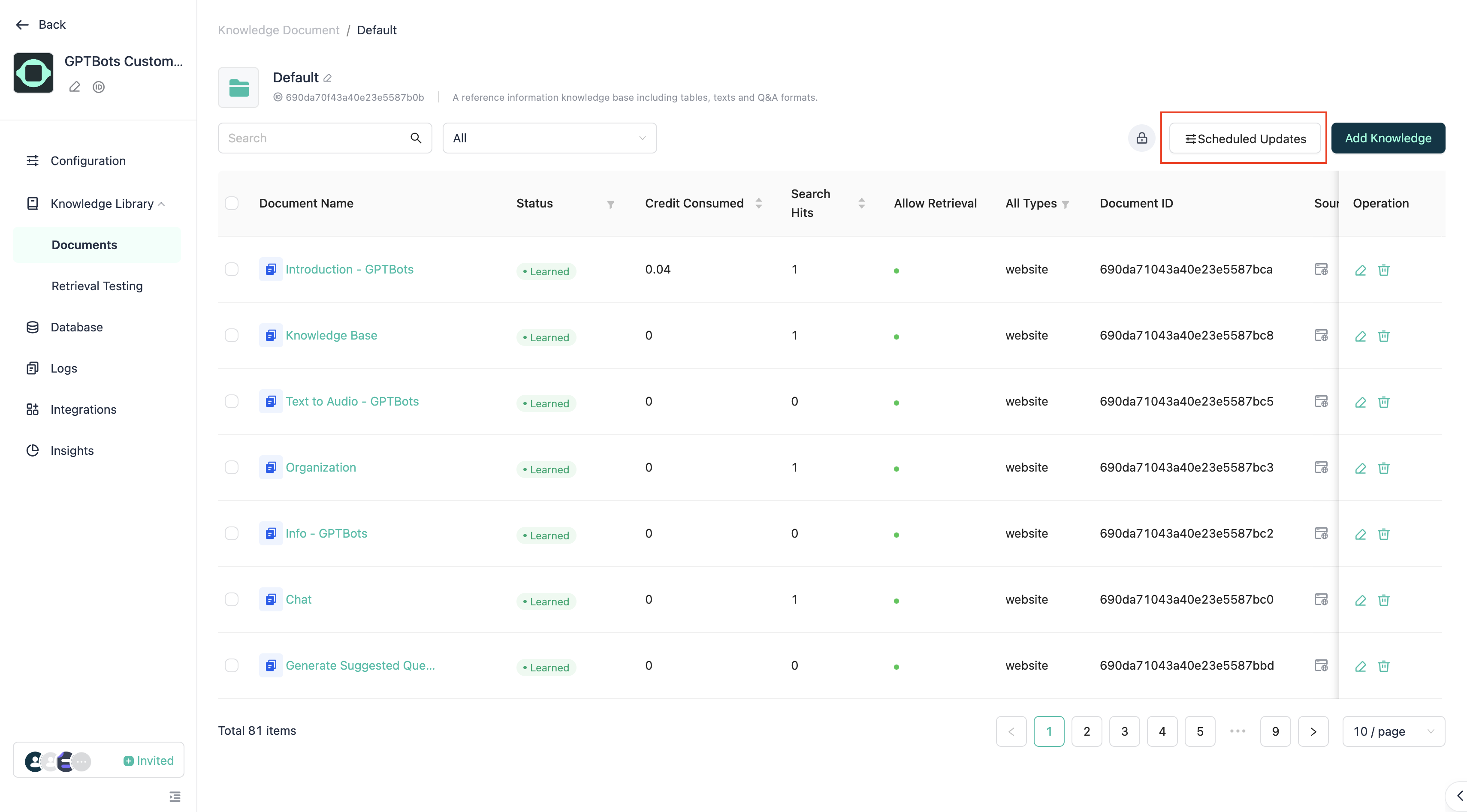
Si vous devez ajuster la fréquence de mise à jour plus tard, cliquez sur « Mise à jour planifiée » pour la modifier.
Mise à jour unique
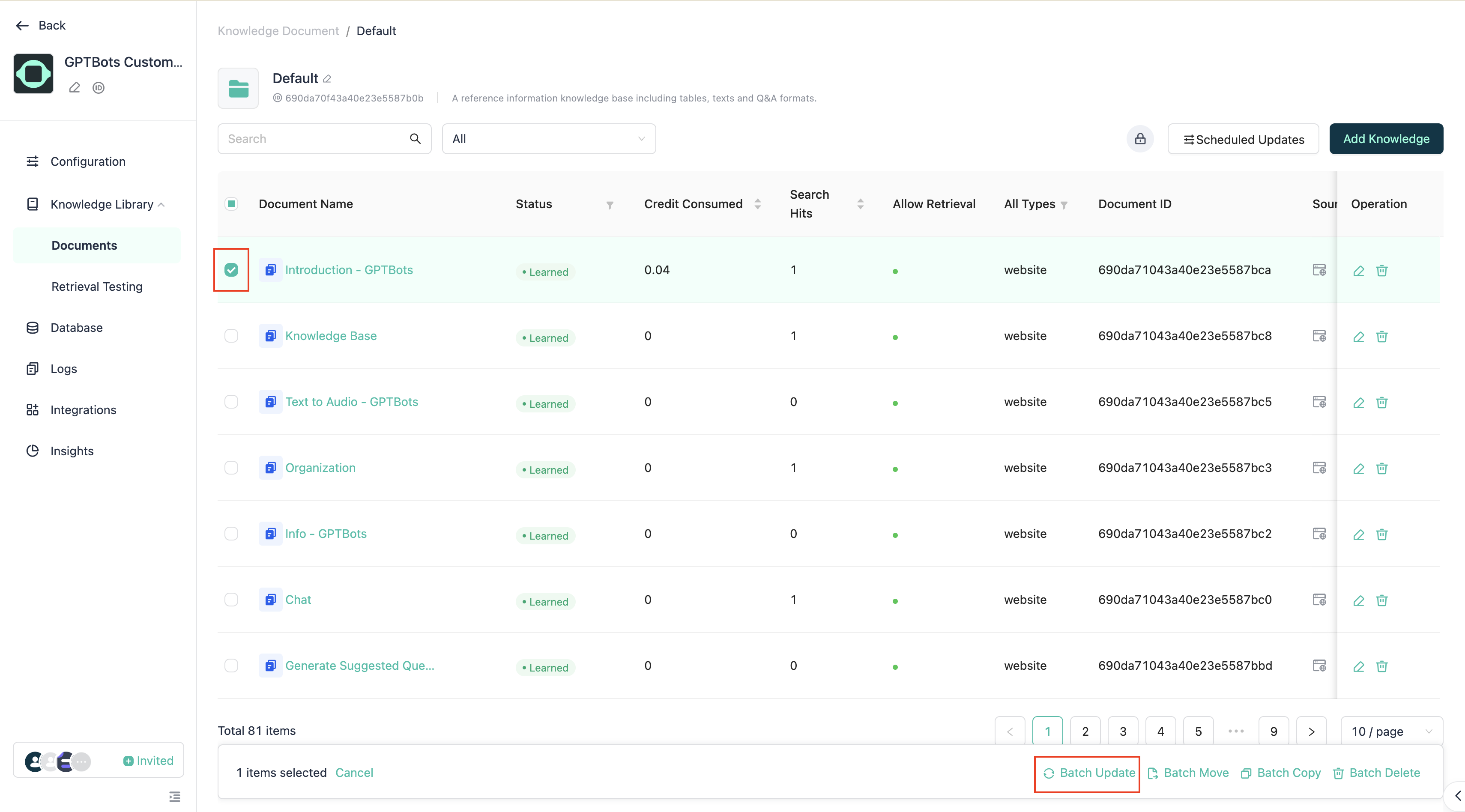
Cochez les documents URL que vous souhaitez mettre à jour, puis cliquez sur le bouton « Mise à jour groupée » ci-dessous.