Security Guardrails
Overview
The Security Guardrails page provides enterprise-grade security policy configuration — the rules set here by administrators become the baseline for all members in the organization. Members can be stricter, but not more lenient.
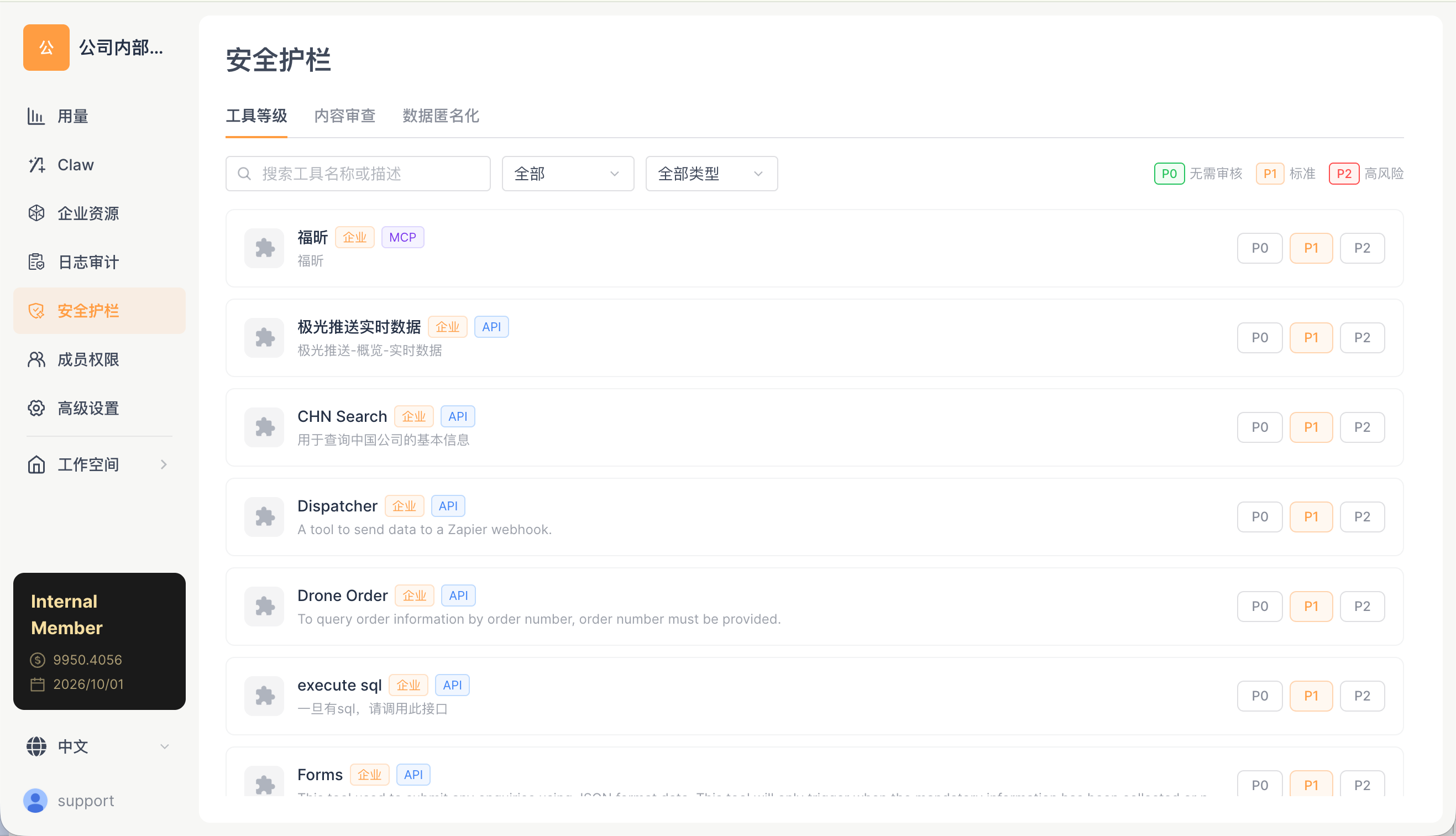
Three Sub-Tabs
| Tab |
Description |
| Tool Levels |
Set P0/P1/P2 permission levels for each tool |
| Content Moderation |
Compliance review of input/output content |
| Data Anonymization |
Identification and replacement of personally identifiable information (PII) |
Administrators can set unified permission levels for the tools within the organization.
The page displays all tools currently available in the organization (including built-in tools, MCP tools, API tools, and enterprise custom tools). Each record includes:
| Column |
Description |
| Icon + Name |
Tool display name + source tag such as System / Enterprise + MCP type tag |
| Description |
Explanation of the tool's capabilities |
| P0 / P1 / P2 |
Three level buttons, with the currently selected one highlighted |
Three Levels
| Level |
Name |
Behavior |
| P0 |
No Review |
Executes automatically without user confirmation |
| P1 |
Standard |
Requires user confirmation on first call |
| P2 |
High Risk |
Requires confirmation on every call |
Filtering
- Search tool name or description: fuzzy matching
- All Categories: filter by tool source (System/Enterprise/MCP)
- All Types: filter by tool type
Organization Baseline Rule
The permission level set by the administrator is the organization baseline — members cannot adjust a permission to be more lenient than the organization baseline, but they can adjust it to be stricter.
| Administrator Setting |
Member Options |
| Bash = P0 |
P0 / P1 / P2 |
| Bash = P1 |
P1 / P2 (cannot be lowered to P0) |
| Bash = P2 |
P2 only |
Content Moderation
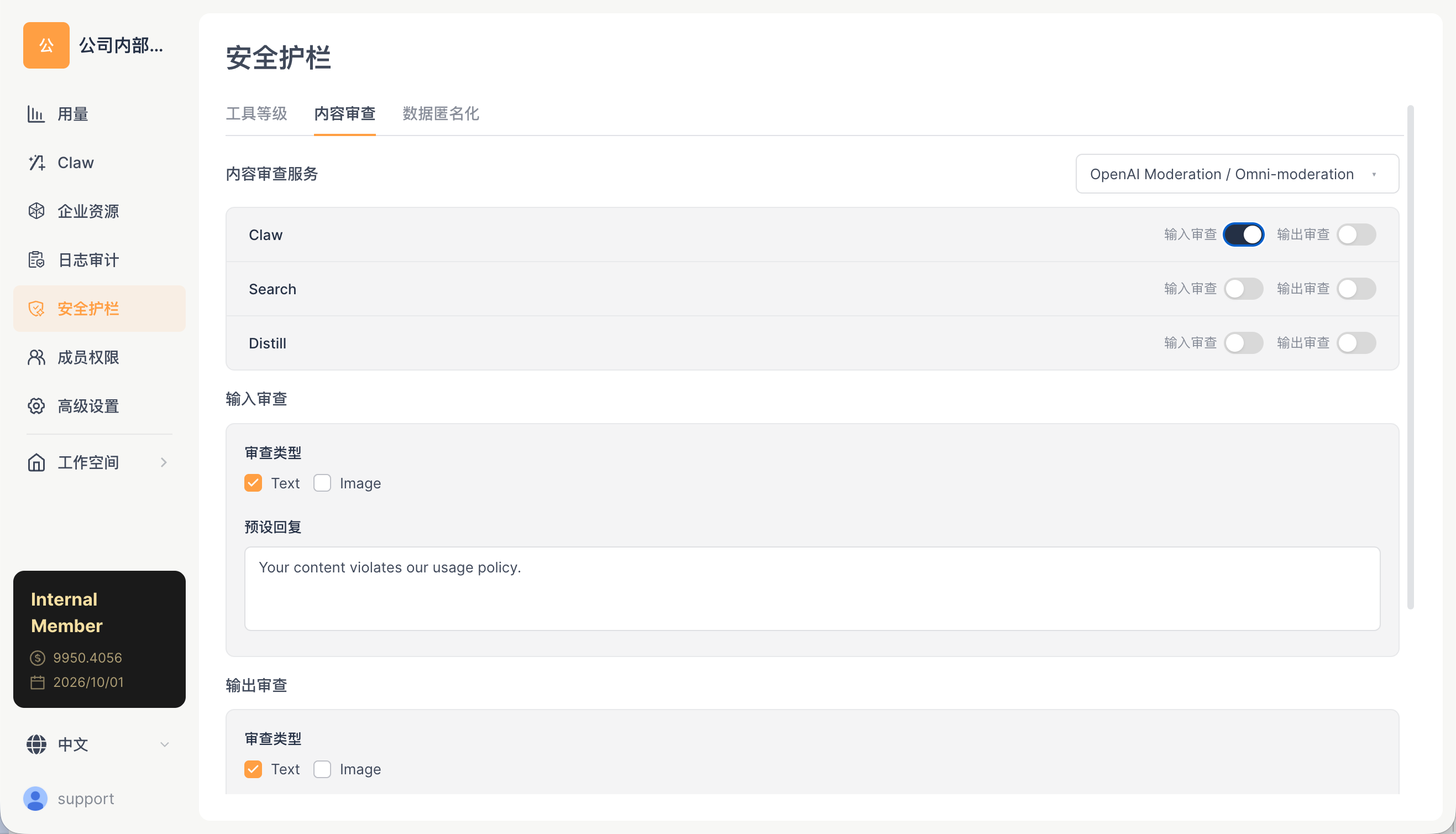
| Configuration |
Description |
| Input Review |
When enabled, user input is reviewed before being sent to the LLM |
| Output Review |
When enabled, LLM output is reviewed before being shown to the user |
| Review Model |
Select the model used for content moderation |
Impact
| Configuration |
Impact |
| Enable Input Review |
Each user message is first checked by the review model for inappropriate content before being sent to the main LLM. Adds 1-3 seconds of latency and additional token costs, but helps prevent abuse |
| Enable Output Review |
Each of the Agent's replies is first checked by the review model before being shown to the user. This likewise adds latency and cost, but can filter out inappropriate replies |
| Disabled |
No additional latency or cost, but inappropriate content will not be blocked |
Data Anonymization
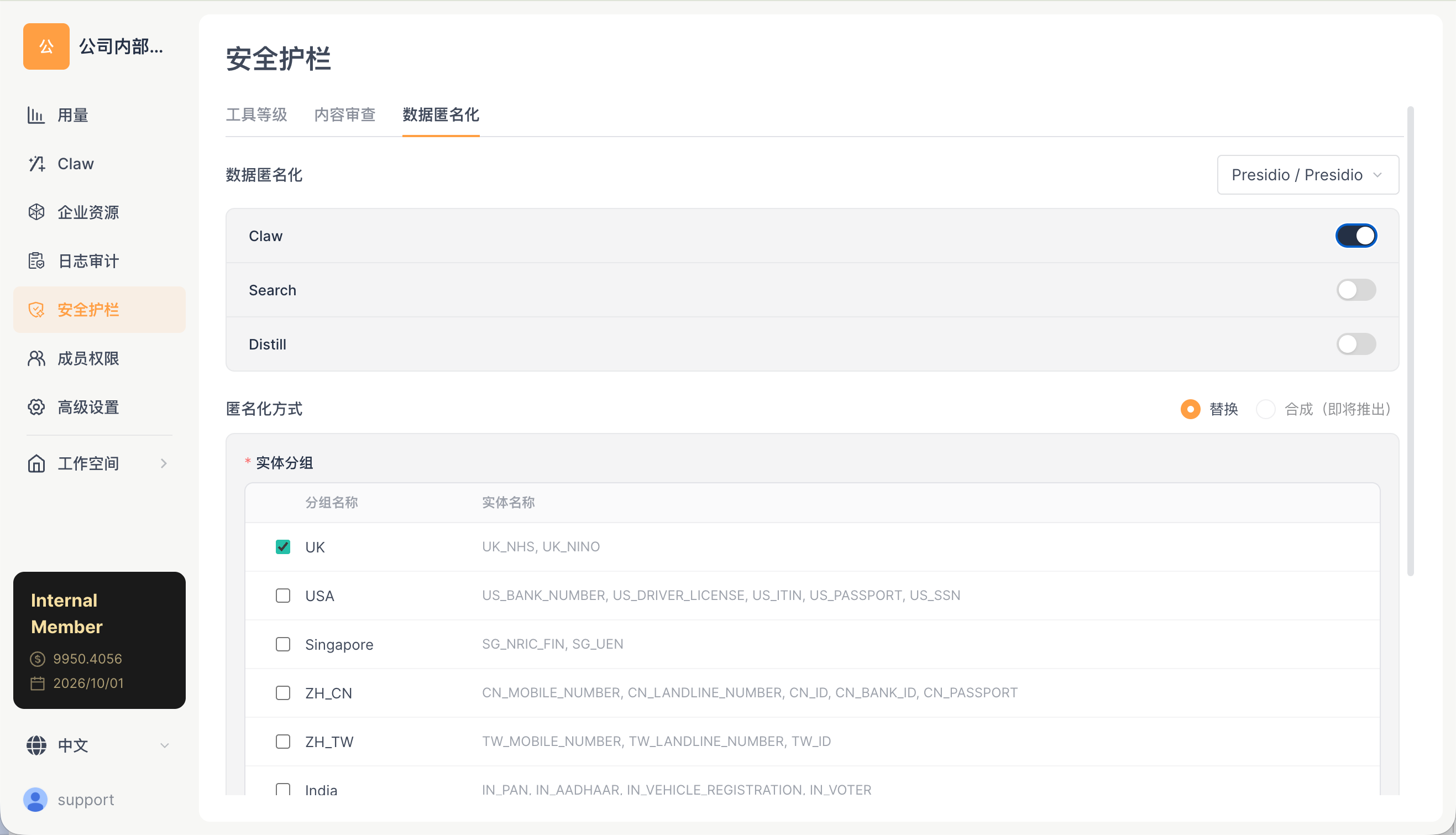
| Configuration |
Description |
| Anonymization Toggle |
Whether to anonymize sensitive information before sending it to the LLM |
| Anonymization Rules |
Identify and replace PII (personally identifiable information) |
| Restoration Rules |
Restore anonymized information in the output |
Impact
| Status |
Impact |
| Enabled |
The LLM cannot see real personal information (names, emails, phone numbers, ID numbers, etc. are replaced with placeholders such as [PERSON_1] or [EMAIL_1]), providing better data privacy. However, in complex scenarios where the LLM needs to understand contextual relationships (e.g., "Help me write an email to Zhang San, whose address is..."), anonymization may affect the quality of the response |
| Disabled |
The LLM can see the complete personal information, allowing more accurate context understanding, but the data is sent to a third-party LLM service |
Operation Guide
- Open the Web client → Space Management → Security Guardrails → Tool Levels tab
- Find the target tool
- Click P0 / P1 / P2 to switch the level
- Takes effect immediately; all members in the organization will follow the new level the next time they call the tool
Enabling Content Moderation
- Switch to the Content Moderation tab
- Turn on the Input Review toggle (reviews content sent by users) and/or the Output Review toggle (reviews the Agent's replies)
- Select the model used for the review
Configuring Anonymization
- Switch to the Data Anonymization tab
- Turn on the Anonymization Toggle
- The system automatically identifies personally identifiable information (PII) in the message, such as names, emails, phone numbers, and ID numbers
- In the message sent to the LLM, the PII is replaced with placeholders
- The placeholders in the LLM's reply are restored to their original values before being shown to the user
Recommended Security Configurations
| Security Level |
Tool Permissions |
Content Moderation |
Anonymization |
Applicable Scenario |
| Lenient |
Bash: P1, Others: P0 |
Disabled |
Disabled |
Internal development teams, fully trusted |
| Standard |
Bash: P1, Web Fetch: P1 |
Output Review |
Disabled |
General enterprise environments |
| Strict |
All P2 |
Input + Output Review |
Enabled |
Finance/healthcare/compliance-sensitive industries |
