
Product Overview and Core Capabilities
What Is the Workspace
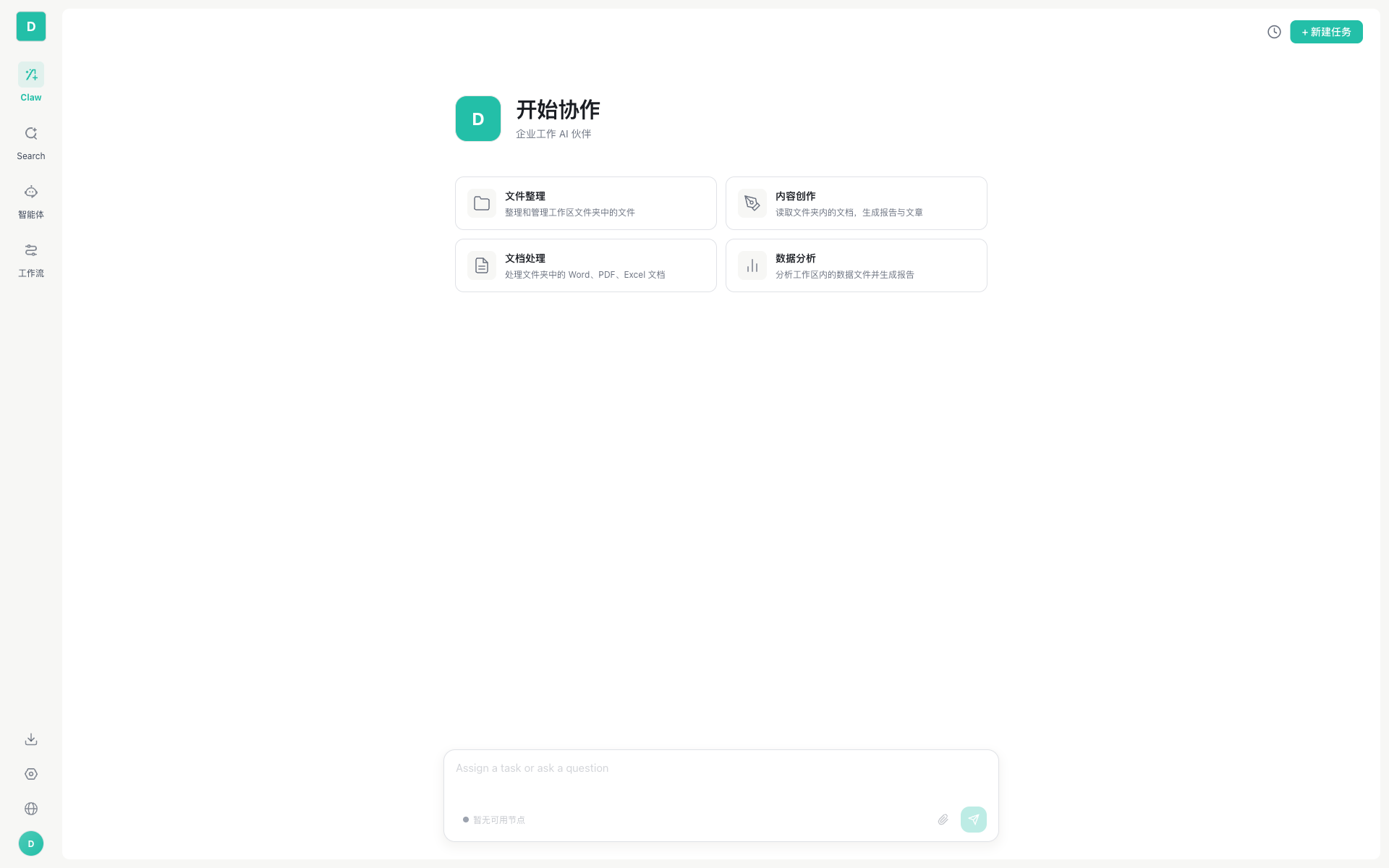
The Workspace is the runtime module of the GPTBots Enterprise AI Agent and Workflow Platform — an out-of-the-box AI workspace built for a company's internal employees.
It moves AI from "AI Assistance" (able to answer) to "AI Action" (able to act), and turns AI Action into real business outcomes.
It is not a chat box, not a search engine, and not a simple AI assistant — it is an AI assistant that proactively calls tools, remembers your preferences, collaborates across devices, and can execute tasks automatically 24/7.
An all-in-one assistant that is always online, always learning, and can open Word / a browser / Excel / a Shell all at once.
2026: The Critical Inflection Point for Scaling Enterprise AI
The era of AI pilots is over. The question is no longer "can AI work," but "how to run it safely at enterprise scale." Most enterprise AI projects are still stuck in "pilot purgatory" — the demos are stunning, yet they never make it to production.
The Six Major Pain Points of Enterprise AI
| # | Pain Point | Description |
|---|---|---|
| 1 | Can chat, but can't execute | Answering questions is fine, running business processes is not |
| 2 | Lack of contextual continuity | Memory is lost between sessions, and the business can't be understood |
| 3 | Can't integrate or execute | Unable to drive systems, and multi-step processes are hard to deliver |
| 4 | Lack of multi-agent collaboration | Complex tasks can't be broken down and handled collaboratively |
| 5 | Hallucinations create enterprise risk | Teams don't dare deploy at scale in production |
| 6 | Lack of enterprise-grade governance | Permissions, compliance, and auditing can't be satisfied |
How the Workspace "Acts"
- It actively executes: You say "organize this directory," and it really goes and lists the files, reads the contents, and moves files — instead of telling you "here's what I suggest you do"
- It remembers you: Once you've said "I use TypeScript," next time it gives you TypeScript code by default
- It runs automatically: Write a scheduled task like "check competitor websites every day at 9 AM," and from then on it runs on its own
- It connects to the tools you already have: Just @ it directly in a Telegram / DingTalk / Lark group to use it
- It supports multi-agent collaboration: Complex tasks are broken down among Agents in different roles, working together with a clear division of labor
Four Native Capabilities
The Workspace covers the full range of enterprise AI execution scenarios with four native capabilities:
| Module | Positioning | Core Value | Documentation |
|---|---|---|---|
| Work | AI Alter Ego · Autonomous Execution | An Agent system with an autonomous loop that understands tasks, calls tools, and collaborates across devices | Work Conversation Overview |
| Search | Knowledge Search · Knowledge Retrieval | Every answer comes with context: unified retrieval across documents, email, chat, code, and databases | AI Search |
| Workflow | Intelligent Workflow · Process Automation | Orchestrate and publish in the development space → call with one click in the Workspace, boosting internal enterprise processes instantly | Workflow |
| Agents | Multi-Agent · Orchestrated Collaboration | Build and publish internally + integrate third parties via the A2A protocol, sharing context and memory | Agents |
Work Underlying Capabilities
The Work module of the Workspace has a complete Agent workflow chain:
| Capability | One-Sentence Explanation | Detailed Documentation |
|---|---|---|
| 🔄 Agent Loop Engine | Automatically decomposes tasks and continuously calls tools until the task is truly complete (up to 25 rounds by default) | Agent Loop Engine |
| 🧠 Three-Dimensional Memory System | Three layers of memory — account / enterprise / session — plus a knowledge graph, so the AI truly "knows you" | Three-Dimensional Memory System |
| 🔧 Tool and Skill Ecosystem | 19 built-in tools + 21 preset skills + MCP protocol extensions + custom API tools | Tool Management |
| 🌐 Multi-Node Collaboration | "Initiate on Device A, execute on Device B" — the Gateway's intelligent routing turns your devices into distributed compute | Multi-Node Architecture |
| 💬 Channel Integration | 14+ IM platforms (Telegram, WhatsApp, Teams, DingTalk, etc.), bringing AI into your existing communication tools | Channel Configuration |
The Category Shift from Traditional Chatbots
They chat. We act.
| Dimension | Traditional Chatbot | Workspace |
|---|---|---|
| Essence | Answers questions and generates text, and stops there | Autonomously executes tasks, runs workflows, coordinates across systems, and delivers measurable ROI |
| Interaction Model | Single-turn Q&A, requires the user to drive | Multi-turn Agent Loop, automatically decomposes tasks and executes them continuously |
| Tool Capability | Limited or requires manual enablement | 19 built-in + MCP + API + skills, can read/write files, execute commands, and search the web |
| Memory | Only the current conversation or a single memory | Three-dimensional memory (account / enterprise / session), visualized knowledge graph |
| Context Management | Fixed-window truncation | 5-layer intelligent compression (truncate → compact → prune → LLM summary → degradation notice) |
| Deployment Form | Cloud only | Web + Desktop APP, local execution + remote collaboration |
| Subtasks | Not supported | Sub-agent system, up to 3 levels of nesting, dispatchable across nodes |
| Automation | Not supported | Scheduled tasks: three modes — one-time, recurring, and Cron |
| Multimodal | Text only (partial image support) | Input: images / PDFs / audio; Output: 9 file preview types (PDF / PPT / code / video, etc.) |
| Cross-Platform | Runs standalone | A2A protocol + 14+ IM channels |
| Enterprise Governance | Mostly personal | Space management: member permissions, security guardrails, usage auditing, content moderation |
Who Is It For
| Role | Primary Scenarios | Primary Interface |
|---|---|---|
| 🧑💼 General Employees | Daily conversations, file processing, content creation, AI search | Workspace (Work / Search / Agents / Workflow) |
| 🔧 Technical Developers | Code generation, local scripts, Shell automation, MCP tools | Desktop APP (full file system + Bash + skills) |
| 🏢 Workspace Administrators | Enterprise resource configuration, member permissions, security guardrails, usage monitoring | Space management |
| 🤖 Automation Engineers | Scheduled tasks, IM channel integration, sub-agent orchestration | Desktop APP (Settings → Scheduled Tasks / Channels / Sub-Agents) |
| 🛒 Business Owners | Embedding AI into business processes and monitoring key metrics | Workflow + Agents + Channels |
Enterprise-Grade Governance (Built for the Enterprise)
The Workspace is designed for enterprise-grade deployment from day one:
| Dimension | Capability |
|---|---|
| Permissions | Fine-grained control: role-based access, with every step traceable |
| Security | Boundary-aware: data stays where it should stay (SSO, PII anonymization, content review) |
| Deployment | Your choice: public cloud · private · hybrid |
| Auditing | Insights and analysis of run logs · error messages · performance metrics |
| Results-Oriented | Centered on business outcomes, not the number of seats |
Build → Run → Scale
The Workspace is the runtime module of the GPTBots platform. The complete path for landing enterprise AI is:
                      Agent Builder (Build) ─────►  Workspace (Run) ─────►  Scale
Development Space             Workspace
Facing external customers     Facing internal employees
Build Agent / Workflow        Out of the box, ready when employees log in
- Agent Builder (Development Space): Bot creation, knowledge base management, workflow orchestration, tool integration, multi-model support — build your AI agents
- Workspace: AI alter ego, knowledge search, intelligent workflows, multi-agent — run your AI agents
What's Next
- Want to get started right away? → Quick Start
- Want to understand the architecture? → Web vs. APP Capability Comparison
- Want to know the differences between the two? → Web vs. APP Capability Comparison