
Output Settings
Defines how an Agent’s response is processed before being sent to third-party platforms. You can configure output behavior here, such as segmented output, to make message delivery more natural.
Note: Output settings are optional. If not configured, the system will still function normally and send messages to third-party platforms using the default behavior.
---
config:
  layout: dagre
---
flowchart LR
    agent["Agent"] --> output["Output"]
    output --> app["App"]

    app@{ shape: rect}
    agent@{ shape: rect}
    output@{ shape: rect}
    style app fill:#fff,stroke:#e0e0e0,color:#c2c2c2
    style agent fill:#fff,stroke:#e0e0e0,color:#c2c2c2
    style output fill:#e3f6f2,stroke:#28b49f,stroke-width: 4px,color:#265859
Segmented Output
Currently supported platform: LiveChat
The system splits the Agent’s response by type and sends it to users on the integrated platform in segments. Message types that can be segmented include text, images, audio, video, and files. Multiple segmented output types can be enabled at the same time.
Text Segmentation
The system automatically splits the reply based on line breaks in the text and sends it to the user in segments.
Usage:After enabling, you can pair this with appropriate line-break instructions in Agent > Configuration > LLM’s Identity Prompt to help the Agent respond more naturally. For example: add “Each sentence should be on a separate line” to the Identity Prompt."
Example (segmented output disabled):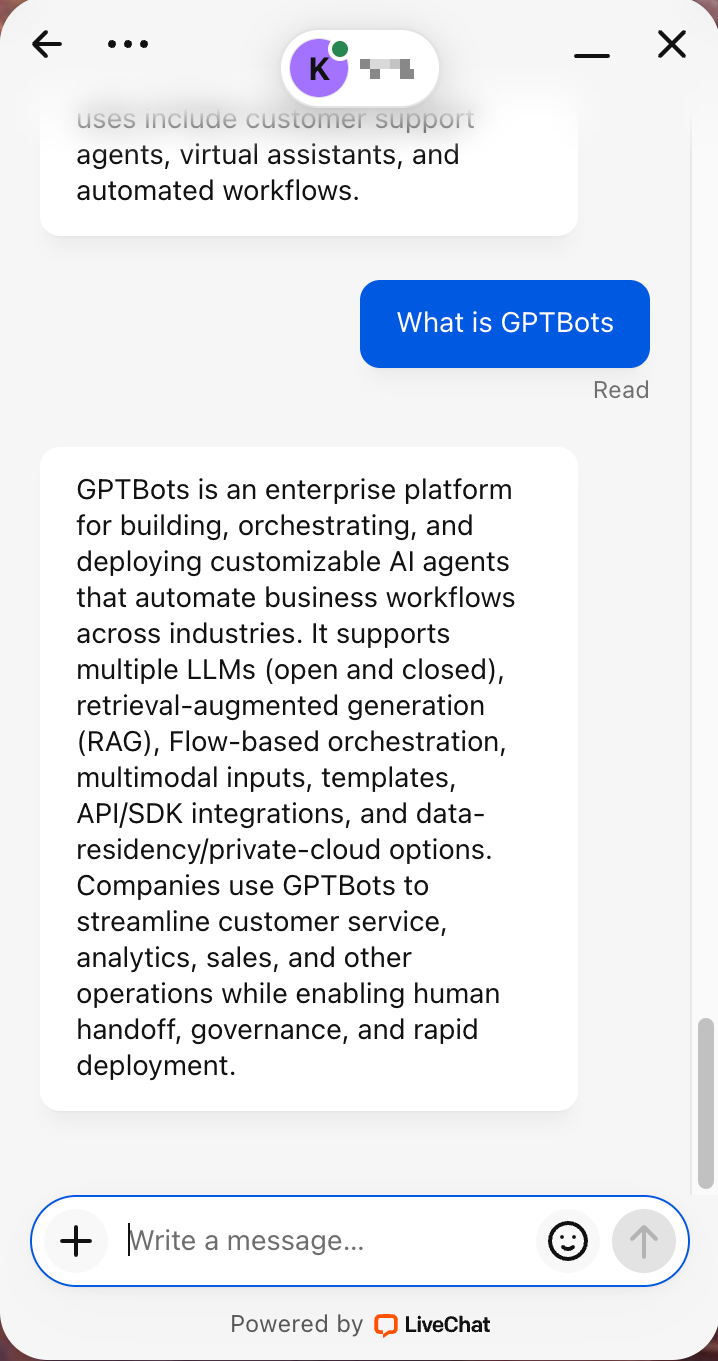
Example (segmented output enabled):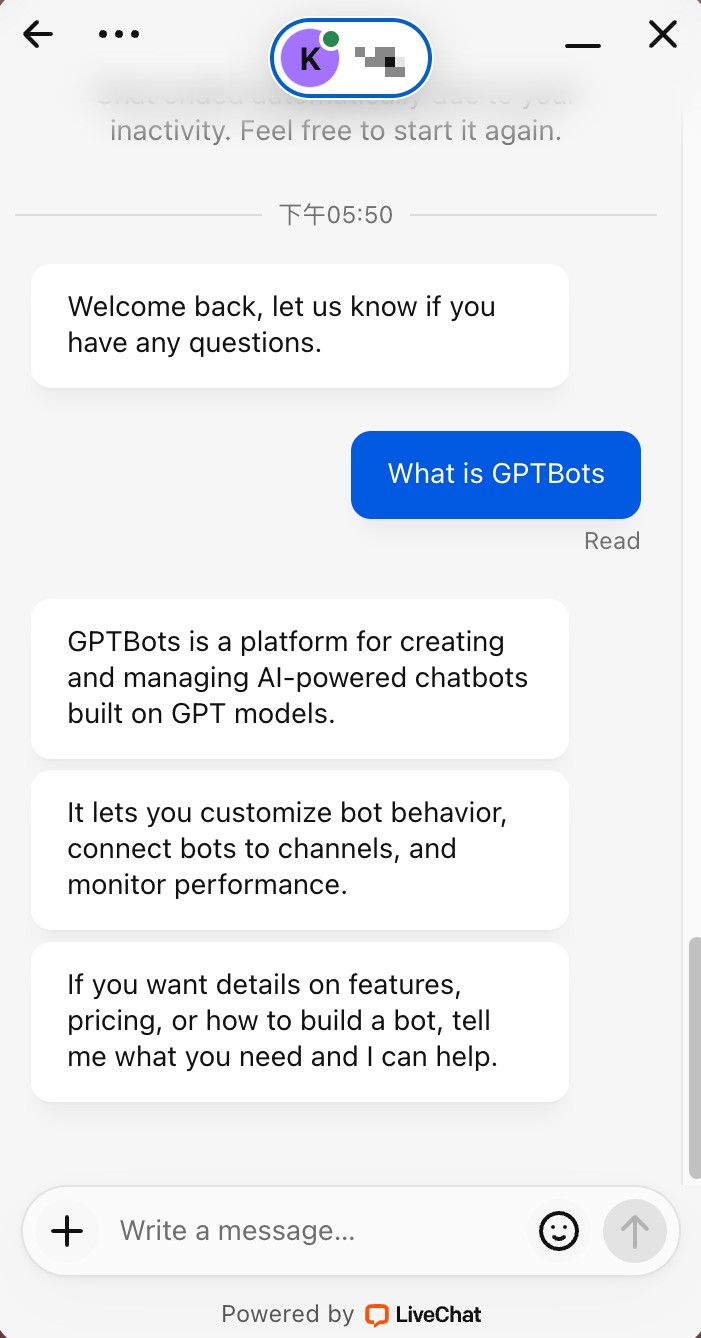
Segmented Output Delay
Segmented messages are sent according to the selected time interval.