
输出设置
输出设置
用于定义 Agent 响应内容在发送至第三方平台前的处理逻辑。用户可以在此设置输出行为,如分段输出,让消息传递更自然。
注意: 输出设置非必填项,未配置也能正常使用,系统将以默认方式发送消息至第三方平台。
loading...
---
config:
  layout: dagre
---
flowchart LR
    agent["Agent"] --> output["Output"]
    output --> app["App"]

    app@{ shape: rect}
    agent@{ shape: rect}
    output@{ shape: rect}
    style app fill:#fff,stroke:#e0e0e0,color:#c2c2c2
    style agent fill:#fff,stroke:#e0e0e0,color:#c2c2c2
    style output fill:#e3f6f2,stroke:#28b49f,stroke-width: 4px,color:#265859
分段输出
目前支持平台:LiveChat
系统将对 Agent 响应的消息,根据类型进行拆分,分段发送给集成平台的用户。能拆分的消息类型有文字、图片、音频、视频、文件。 支持同时开启多个类型的分段输出。
文字分段
系统会根据文字中的换行(换行符)自动拆分回复,并分段发送给用户。
使用方法:开启后,可以搭配在 Agent > 配置 > LLM 的 身分提示 里给予适当的换行指令,有助于 Agent 回覆的更自然。例如:在 身分提示 里加上「请在每条句子后换行」。
示例(未开启分段输出):
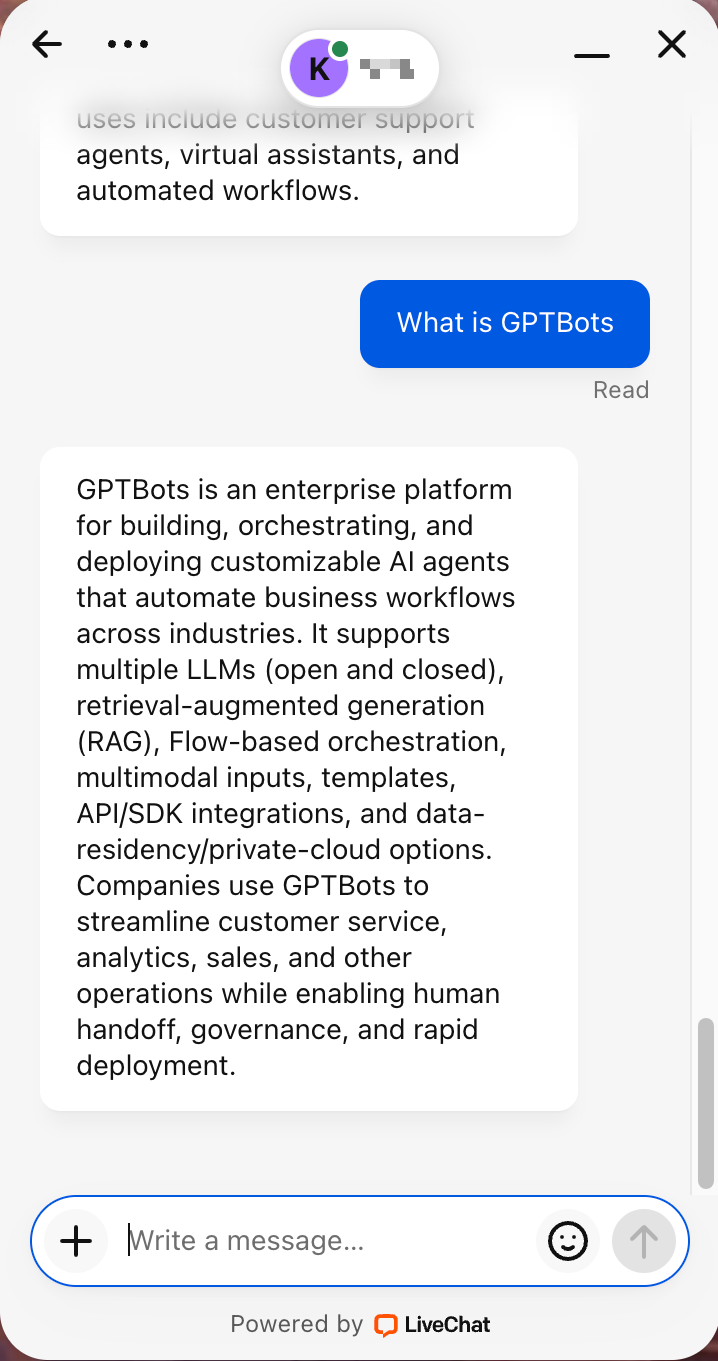
示例(开启分段输出):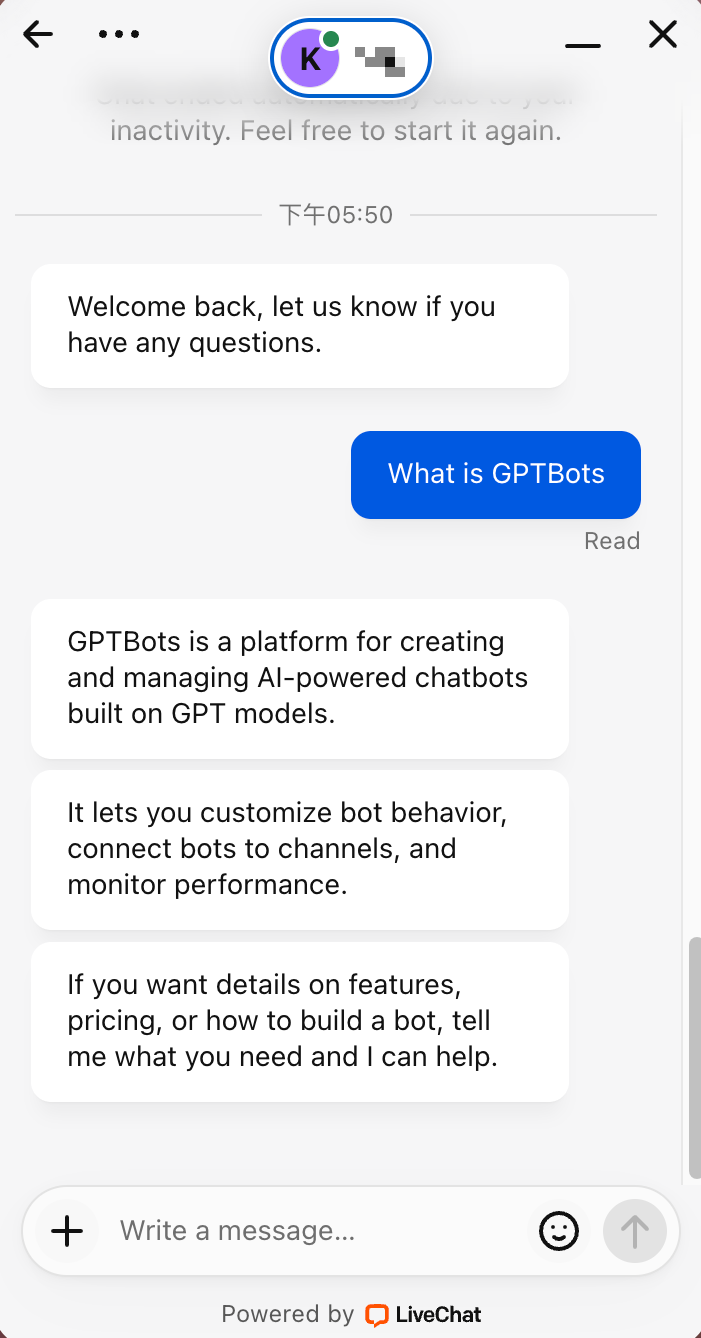
分段延时
分段的消息依照所选时间间隔发送。